9
Using the Reader/
Writer
Caution
Do not touch and remove a memory card from the
reader/writer while the access indicator is blinking.
The data stored on the memory card may be
damaged.
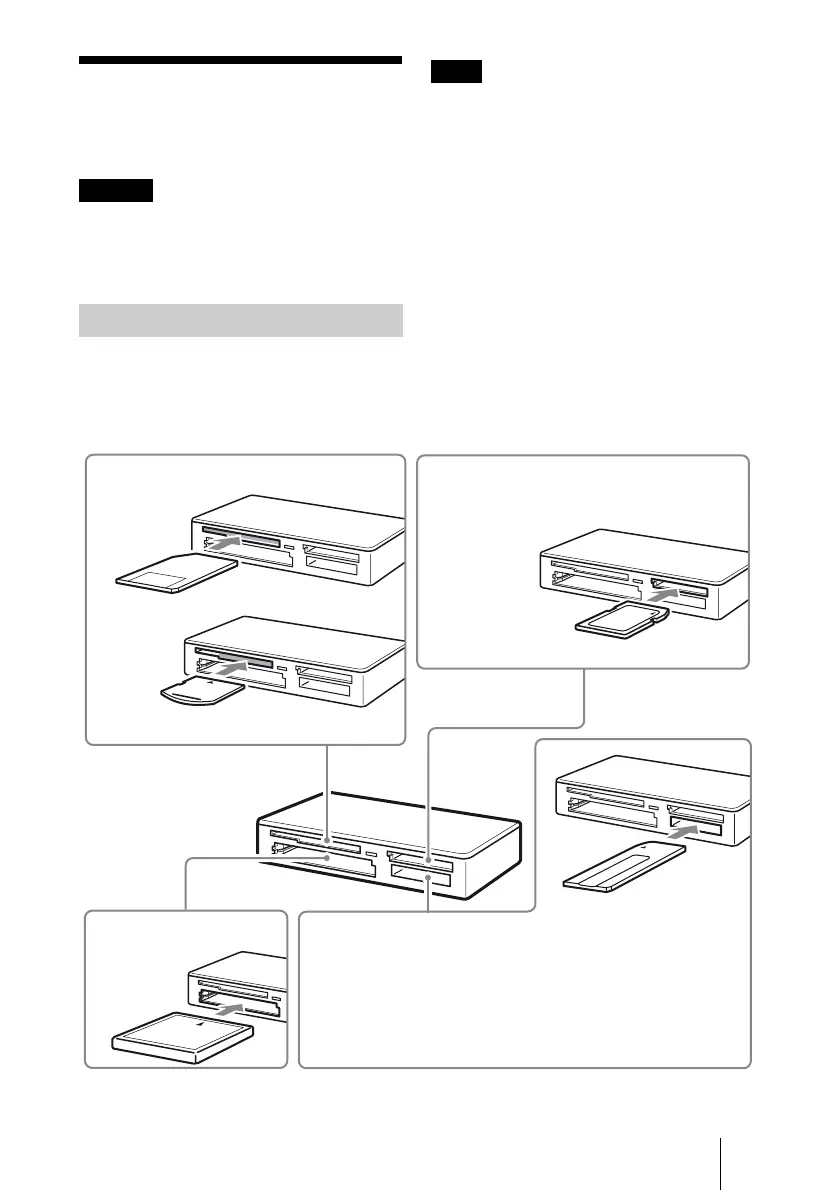
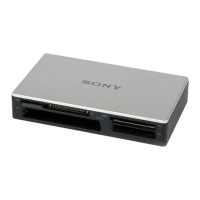
Insert a memory card into the corresponding
slot on the reader/writer.
When inserting a card, push it in as far as it
can go.
Notes
• Each card slot is designed so a card can only be
inserted in the correct direction.
• Insert only one memory card into the
corresponding slot. Do not insert multiple cards
at the same time.
• When inserting a “Memory Stick Micro” (“M2”)
or a miniSD Card, miniSDHC Card, microSD
Card or microSDHC Card, use an appropriate
adaptor (not supplied).
• Do not insert a card upside down.
• Forcibly inserting the card may damage the card
or the slot.
• If a memory card is inserted incorrectly, you may
not be able to remove it. In the unlikely event
that a memory card becomes stuck in the reader/
writer, consult your local Sony dealer.
Inserting a Memory Card
Insert one of the following
cards in this slot:
• CompactFlash
• Microdrive
• xD-Picture
Card*
Insert one of the following cards in this slot:
• MultiMediaCard
• RS-MMC
• SD Memory Card
• SDHC Memory Card
• miniSD Card*
• miniSDHC Card*
• microSD Card*
• microSDHC
Card*
Insert one of the following cards in this slot:
• SmartMedia
* Push at the right side.
Insert one of the following cards in this slot:
• “Memory Stick” • “MagicGate Memory Stick
(without MagicGate) Duo”
• “MagicGate Memory Stick” • “Memory Stick Duo”
• “Memory Stick” (with MagicGate)
(with MagicGate) • “Memory Stick PRO”
• “Memory Stick Duo” • “Memory Stick PRO Duo”
(without MagicGate) • “Memory Stick PRO-HG Duo”
• “Memory Stick Micro” (“M2”)*
* Use an appropriate adaptor (not supplied).
* Use an appropriate adaptor (not supplied).


 To Next Page