8
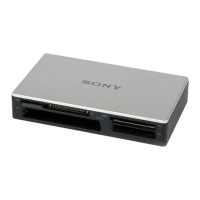
• Follow the steps below to turn off
the write cache setting for
removable disk drives. Leaving this
setting on may cause the reader/
writer to malfunction.
– On Windows Vista:
Open the following items in the
following order: [Start] button - [Control
Panel] - [System and Maintenance] -
[Device Manager] button (When clicking
on [Device Manager] button, the User
Account Control window will appear,
click on [Continue]) - [Disk drives] -
[Sony Card_R/W -MS USB Device].On
the [Policies] tab in the properties dialog
box that appears, make sure that
[Optimize for quick removal] is selected.
In the same way, select [Optimize for
quick removal] on the [Policies] tab of
the [Sony Card_R/W -CF USB Device],
[Sony Card_R/W -SD USB Device] and
[Sony Card_R/W -SM/xD USB Device].
–On Windows XP:
Open the following items in the
following order: [Start] button –
[Control Panel] – [Performance and
Maintenance] – [System] – [Hardware]
tab – [Device Manager] button – [Disk
drives] – [Sony Card_R/W -MS USB
Device]. On the [Policies] tab in the
properties dialog box that appears, make
sure that [Optimize for quick removal] is
selected.
In the same way, select [Optimize for
quick removal] on the [Policies] tab of
the [Sony Card_R/W -CF USB Device],
[Sony Card_R/W -SD USB Device] and
[Sony Card_R/W -SM/xD USB Device].
– On Windows 2000:
Open the following items in the
following order: [Start] button –
[Settings] – [Control Panel] – [System] –
[Hardware] tab – [Device Manager]
button – [Disk drives] – [Sony Card_R/
W -MS USB Device]. On the [Disk
Properties] tab in the properties dialog
box that appears, make sure the [Write
Cache enabled] check box is not selected.
In the same way, clear the [Write Cache
enabled] check box on the [Disk
Properties] tab of the [Sony Card_R/W -
CF USB Device], [Sony Card_R/W -SD
USB Device] and [Sony Card_R/W -
SM/xD USB Device].
– On Windows Me:
Open the following items in the
following order: [Start] button –
[Settings] – [Control Panel] – [System] –
[Performance] tab – [File System]
button. On the [Removable Disk] tab in
the properties dialog box that appears,
make sure the [Enable write-behind
caching on all removable disk drives.]
check box is not selected.


 To Next Page