14-GB
PNote
Insert this unit completely into your computer. Be sure to insert in this
unit oriented correctly to avoid damage.
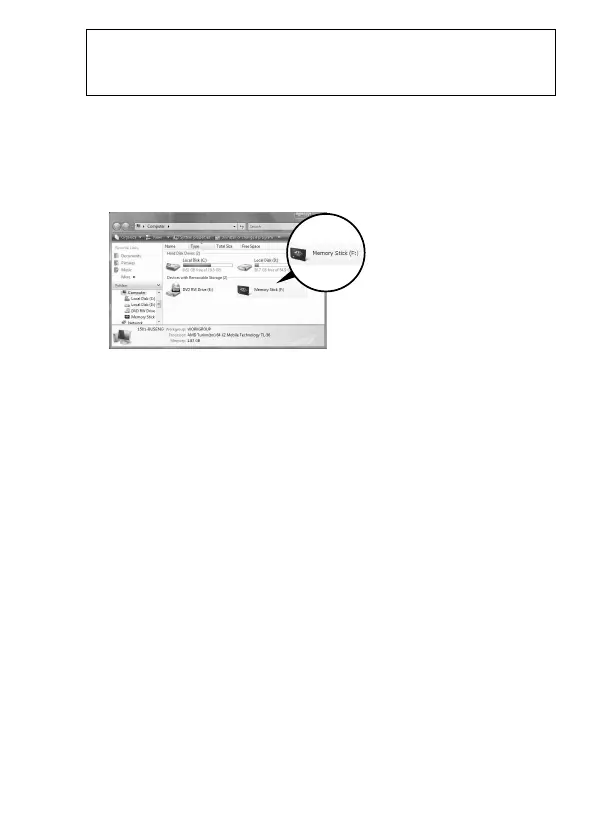
3 Confirm that this unit is recognized.
1 Click [Start] and click [Computer].
2 Confirm that the newly recognized “Memory Stick (F:)” icon is
shown.
The insertion is complete when the “Memory Stick (F:)” icon is shown.
It may take a little while before the “Memory Stick (F:)” icon appears.
4 Drag and drop the data you want to transfer.
Drag and drop the data you want to transfer from your computer to
the Memory Stick
™
media (this unit) or from the Memory Stick
™
media
(this unit) to your computer.
This “Memory Stick
(F:)” indicates this unit
is inserted into the
computer. Depending
on your computer, the
drive name ((F:) etc.)
may differ.



 To Next Page