24-GB
Formatting/initializing the Memory
Stick
™
media
Formatting deletes all the data recorded on the Memory Stick
™
media. Use
the “Memory Stick Formatter” software (supplied) to format the Memory
Stick
™
media.
For details on how to use the “Memory Stick Formatter,” refer to the help
supplied with the “Memory Stick Formatter.”
You can download the “Memory Stick Formatter” at the following Web
Site.
http://www.sony.net/memorystick/supporte/
PNote
If you format the Memory Stick
™
media that contains data, the already
recorded data will be deleted. Be careful not to inadvertently delete
important data.
1 Insert the Memory Stick
™
media into this unit.
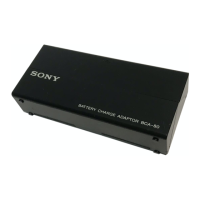
2 Insert this unit into your computer.
3 Start “Memory Stick Formatter.”
4 After confirming that the drive on which the Memory Stick
™
media has been mounted is selected, click [Start format].
PNote
Never remove this unit from the computer while formatting the Memory
Stick
™
media. The data on the Memory Stick
™
media may be damaged.
For Windows



 To Next Page