27-GB
How to use this unit
PNote
Be sure to install the device driver from the CD-ROM (supplied) before you
insert this unit into your computer. Restart your computer following
installation.
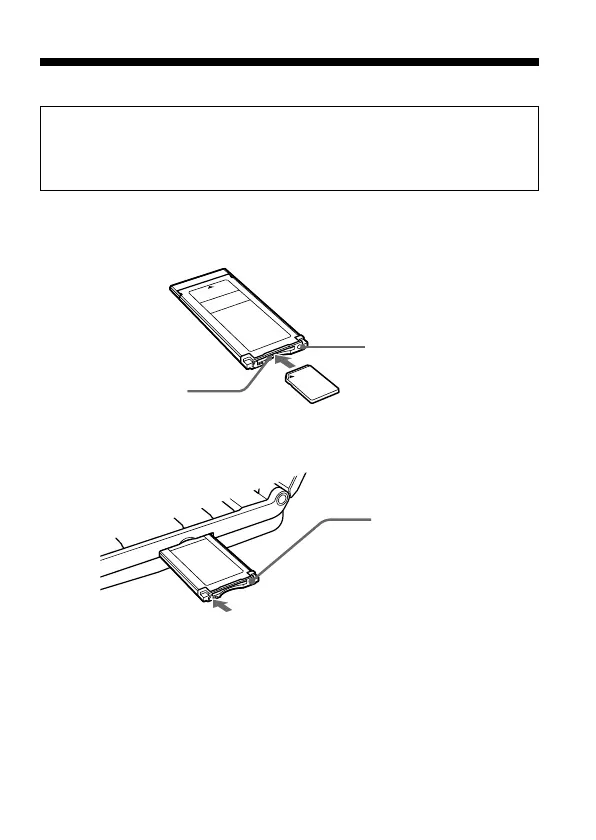
1 Insert the Memory Stick
™
media into the Memory Stick
™
slot
on this unit.
For Mac OS
When you insert this unit into your computer or when you remove
this unit from your computer, please handle it as shown in the picture.
Depending on your computer, the way to remove this unit varies.
2 Insert this unit into the ExpressCard slot on your computer.
Pressing the access
lamp hard may
damage this unit.
Press here when inserting or
removing this unit.
Access lamp
Memory Stick
™
slot



 To Next Page