17-GB
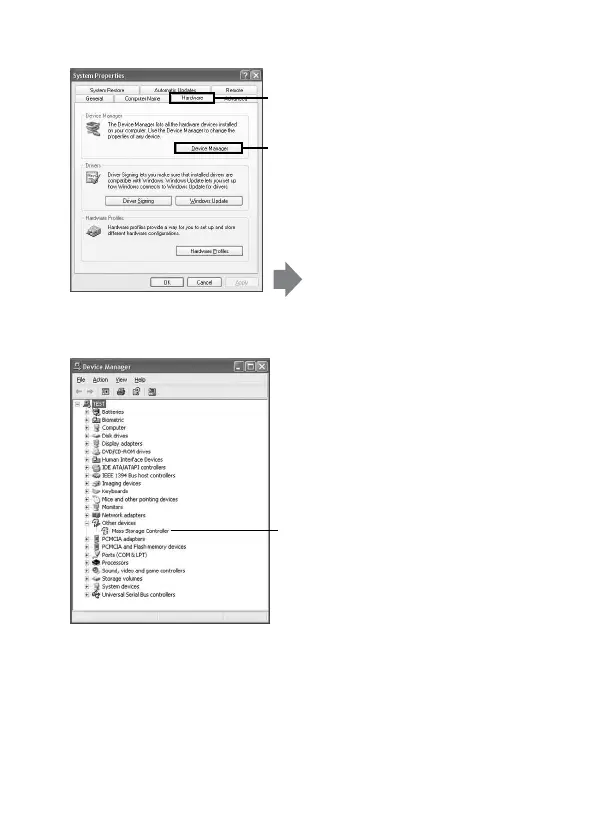
2 Check if the device driver has already been installed correctly.
Check whether [Mass Storage
Controller] preceded by the “!”
symbol is shown.
1 Click the [Hardware] tab on the
“System Properties” screen.
2 Click [Device Manager].
The “Device Manager” screen
appears.



 To Next Page