20-GB
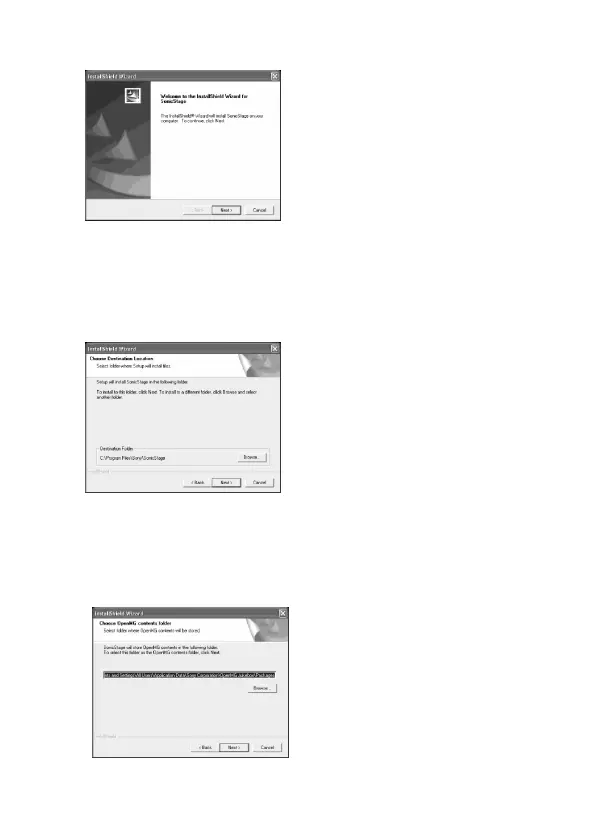
5 Select the folder for storing the “OpenMG” contents.
To change the folder suggested for the installation, click the [Browse]
button and select the folder. When the storage destination folder is
decided, click the [Next] button.
3 Click the [Next] button as prompted on the screen.
4 Select the folder in which you want to install “SonicStage”.
To change the folder suggested for the installation, click the [Browse]
button and then select the folder. When the installation destination
folder is decided, click the [Next] button.


 To Next Page
 Loading...