19-GB
Installing the “SonicStage” software
(including “OpenMG”) on your
computer
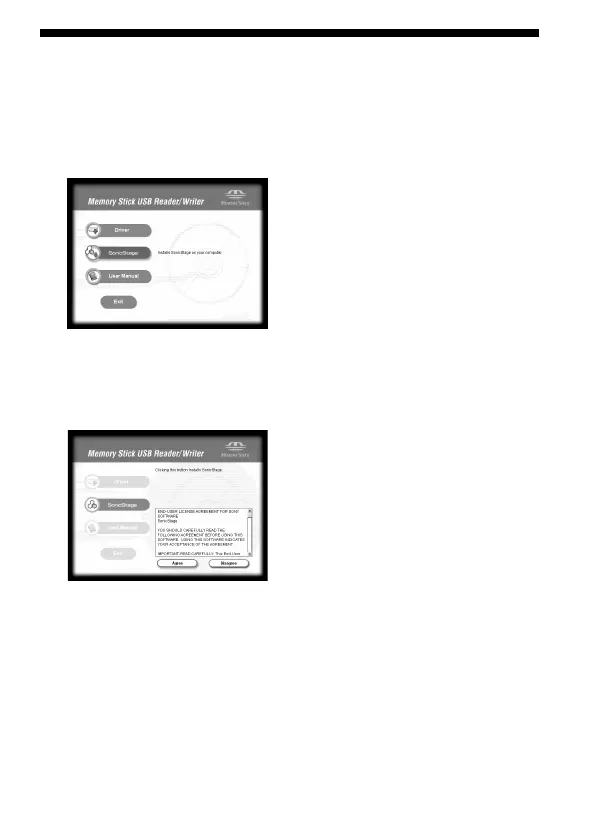
1 Do as follows to install “SonicStage”.
Click the [SonicStage] button in the menu.
2 Carefully read the License Agreement, and then click the
[Agree] button.
When you click the [Agree] button, installation of “SonicStage” starts.



 To Next Page
 Loading...