EasyManua.ls Logo

Sony MXP-290 - Page 49

Sony MXP-290
Print Icon
To Next Page IconTo Next Page
To Previous Page IconTo Previous Page
Loading...
1-2-3.
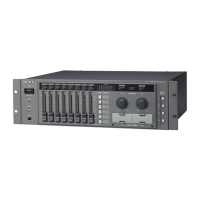
Monitor
and
Editor-control
Section
Contro!
panel
~
Uy
SS
6O
;
@o
:
\
S
62
°
WX
‘SS
~
SS
WN
SS
eer
6:
N
im
SI
N
S
6:6
éI
ooe
6:0:
6
66
2666:
LMA
SN
NS
N
o
N
N
O
N
N
|
S
N
O
N
66
26:66:
668
OV
6:0-
6:6.
lO,
O6
§
N
O
N
N
oO
S
N
0
N
an.
|
®
Sy
oo
eden
eben
ihn
ezbhoz
ICZZZZ7ZZNCZZZZZZMZZZZZNVZZZZ7
ZG)
Warr
it
ails
Ino
aus
Ino
@
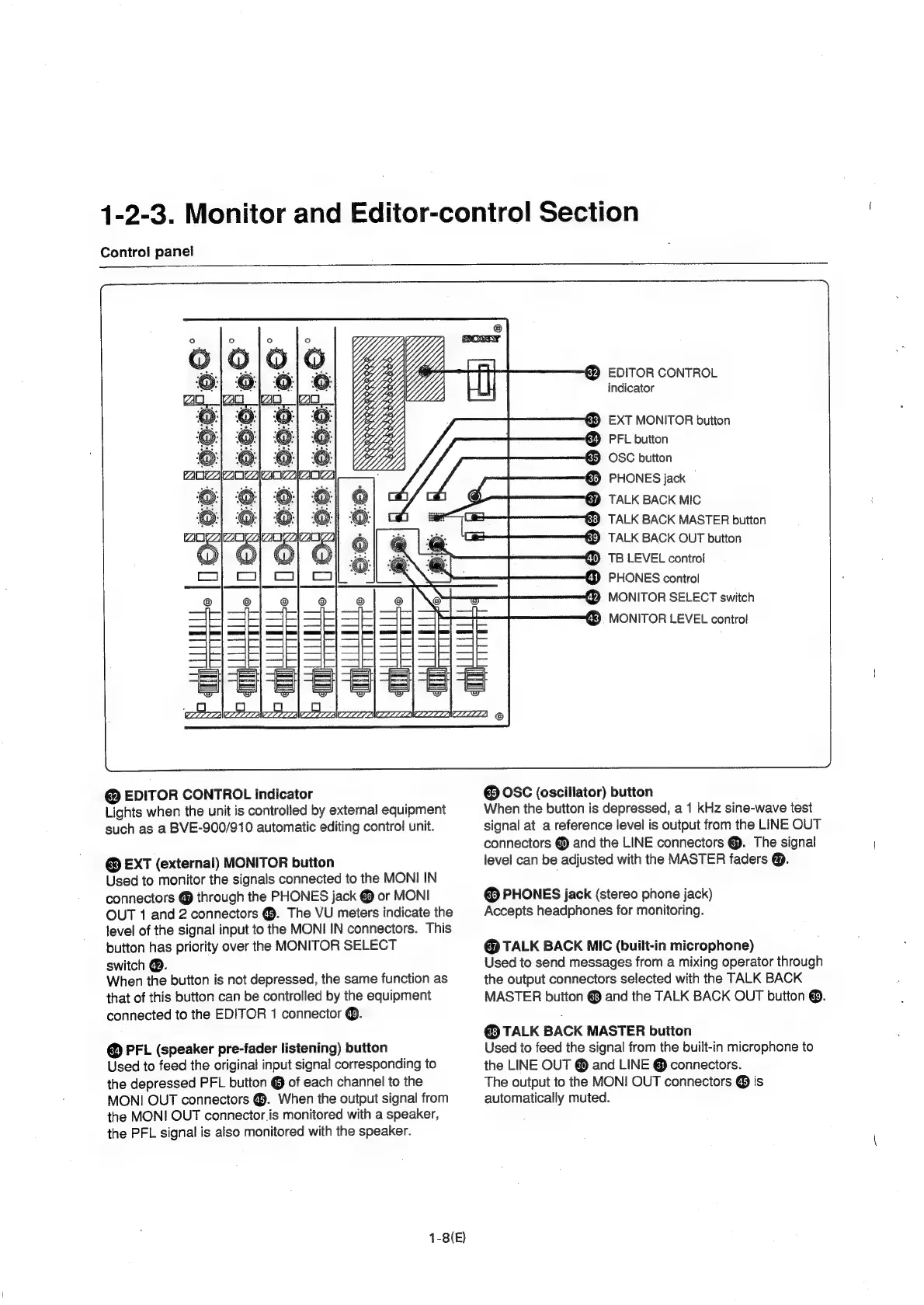
EDITOR
CONTROL
indicator
Lights
when
the
unit
is
controlled
by
external
equipment
such
as
a
BVE-900/910
automatic
editing
control
unit.
@
EXT
(external)
MONITOR
button
Used
to
monitor
the
signals
connected
to
the
MONI
IN
connectors
@
through
the
PHONES
jack
&
or
MONI
OUT
1
and
2
connectors
@.
The
VU
meters
indicate
the
level
of
the
signal
input
to
the
MONI
IN
connectors.
This
button
has
priority
over
the
MONITOR
SELECT
switch
@.
When
the
button
is
not
depressed,
the
same
function
as
that
of
this
button
can
be
controlled
by
the
equipment
connected
to
the
EDITOR
1
connector
@.
@
PFL
(speaker
pre-fader
listening)
button
Used
to
feed
the
original
input
signal
corresponding
to
the
depressed
PFL
button
@
of
each
channel
to
the
MONI
OUT
connectors
€.
When
the
output
signal
from
the
MONI
OUT
connector.is
monitored
with
a
speaker,
the
PFL
signal
is
also
monitored
with
the
speaker.
1-8(E)
J
g
ex.
r=
-
Cty)
Ke
q
EDITOR
CONTROL
indicator
&)
EXT
MONITOR
button
€@
PFL
button
ki)
OSC
button
€)
PHONES
jack
€)
TALK
BACK
MIC
&
TALK
BACK
MASTER
button
ki)
TALK
BACK
OUT
button
TB
LEVEL
control
PHONES
control
©
MONITOR
SELECT
switch
GS).
MONITOR
LEVEL
control
Ss
@
OSC
(oscillator)
button
When
the
button
is
depressed,
a
1
kHz
sine-wave
iest
signal
at
a
reference
level
is
output
from
the
LINE
OUT
connectors
@
and
the
LINE
connectors
@..
The
signal
level
can
be
adjusted
with
the
MASTER
faders
@.
@
PHONES
jack
(stereo
phone
jack)
Accepts
headphones
for
monitoring.
@
TALK
BACK
MIC
(built-in
microphone)
Used
to
send
messages
from
a
mixing
operator
through
the
output
connectors
selected
with
the
TALK
BACK
MASTER
button
and
the
TALK
BACK
OUT
button
@.
TALK
BACK
MASTER
button
Used
to
feed
the
signal
from
the
built-in
microphone
to
the
LINE
OUT
@
and
LINE
@
connectors.
The
output
to
the
MONI
OUT
connectors
@
is
automatically
muted.

Related product manuals