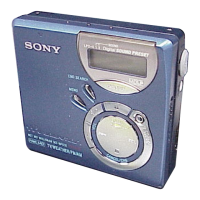
Display window on
the
recorder
--
b
:
When you press bbf (flip the lever
towards A), 0 changes.
When you press ENTER, 0 appears.
-
On 010
Normal/(none)
All
the tracks are played once.
1
Al IRepeat/G
All the tracks are played repeatedly.
1
1 Track/l
A track is played once.
1
1 Repeat/z 7
A single track is played repeatedly.
1
Shuffle/S/-/W
After the currently selected track
finishes playing, the remaining
tracks are played in random order.
1
Shuf.Rep/ z SHUF
After the currently selected track
finishes playing, the remaining
tracks are played repeatedly in
random order.
1
PGMIPGM
Tracks are played in the order that
you specified.
1
PGMRepeat/ z PGM
Tracks are played repeatedly in the
order that you specified.
Creating a program (Program
Play)
You can set the program play up to
20
tracks.
l
This function can be operated on the
recorder only.
1
Press MENU while “PGM” flashes in
the display in step 3 of “Changing
play modes” (page 37).
2
Press H1 or W repeatedly to
select a track and then press ENTER.
The selected track enters.
3
Repeat step 2 to program more tracks.
4
Press ENTER for 2 seconds or more.
The program is set and the playback
starts from the first track.
*\ I.
c
l
The program play setting will be remain in
memory even after playback finished or is
stopped.
l
You can specify play mode for a selected
group when group mode is on. To activate
group mode, see “Listening to tracks in a
specific group (Group Mode Playback)”
(page 36).
l
Play tnode can also be selected when the
recorder is stopped.
Notes
l
All program settings are lost when the lid of
the recorder is opened.
l
If the recorder is stopped and left inactive for
5 minutes in the middle of a programming
operation, the tracks selected up to that point
are entered as the program.
l
If you turn group mode on or off while setting
a program, the program setting mode will be
canceled but the program you set up to that
point will remain.
l
If you turn group mode on during program
play, the program setting is canceled.
I
38-GB



 To Next Page
 Loading...