EasyManua.ls Logo

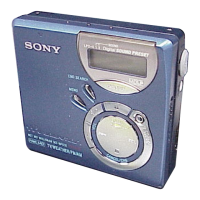
Sony MZ-N707 OpenMG Jukebox NOTES on installing & operating - User Manual

Sony MZ-N707 OpenMG Jukebox NOTES on installing & operating
160 pages
Print Icon
To Next Page IconTo Next Page
Loading...
3-234-038-62(1)
Portable
MiniDisc Recorder
Operating Instructions
_
________________________
_
Mode d’emploi
_
_____________________________
_
GB
FR
© 2002 Sony Corporation
MZ-N707
WALKMAN is a trademark of Sony Corporation.
Portable MiniDisc Recorder MZ-N707

Table of Contents

Other manuals for Sony MZ-N707 OpenMG Jukebox NOTES on installing & operating

Questions and Answers

  • G
    goodmanjoshuaAug 21, 2025
    Why does my Sony MZ-N707 OpenMG Jukebox NOTES on installing & operating skip?
    • C
      Cody SmithAug 21, 2025
      If your Sony CD Player is skipping during playback, make sure it is placed on a stable surface away from continuous vibrations. Also, very short tracks (under one second) can sometimes cause skipping. Try to avoid creating tracks that short.
  • A
    Alan WhiteAug 23, 2025
    How to turn up the volume on my Sony MZ-N707 OpenMG Jukebox NOTES on installing & operating CD Player?
    • S
      Sandra WrightAug 23, 2025
      If the volume on your Sony CD Player cannot be turned up, it may be because the AVLS (Automatic Volume Limiter System) is activated. Deactivate AVLS by setting it to 'AVLS OFF'.
  • C
    Craig HernandezAug 26, 2025
    How to find track marks on my Sony MZ-N707 OpenMG Jukebox NOTES on installing & operating?
    • G
      ggonzalezAug 26, 2025
      If your Sony CD Player is not finding the track marks, it might be because you pressed X after pressing . or >. To correct this, press X before pressing . or > on the recorder, or before flipping the lever towards > or . on the remote control.
  • S
    Stephanie MasonAug 27, 2025
    Why is there no sound from my Sony CD Player headphones?
    • T
      Tristan AlexanderAug 28, 2025
      If no sound is coming through your headphones or earphones connected to the Sony CD Player, ensure that the headphone/earphone plug is firmly connected to the remote control, and that the remote control is firmly connected to the player. Also, check the volume level and adjust it by pressing the VOL +/– buttons.
  • S
    Scott SmithAug 30, 2025
    What to do if my Sony MZ-N707 OpenMG Jukebox NOTES on installing & operating MD is not playing normally?
    • F
      Frank SuttonAug 30, 2025
      If your Sony CD Player isn't playing an MD normally, the play mode might be changed. Try changing it to normal play.
  • R
    Richard GilesSep 1, 2025
    Why won't my Sony MZ-N707 OpenMG Jukebox NOTES on installing & operating CD Player play an MD from the beginning?
    • M
      Melinda BakerSep 1, 2025
      If your Sony CD Player isn't playing an MD from the first track, it could be due to a couple of reasons. Either the disc playing stopped before reaching the last track (in which case, press N for 2 seconds or more, or flip the lever towards . repeatedly on the remote control), or Group Mode is turned on (in which case, turn Group Mode off and then press N for 2 seconds or more, or flip the lever towards . repeatedly on the remote control).
  • C
    Christina BlankenshipSep 3, 2025
    Why does my Sony MZ-N707 OpenMG Jukebox NOTES on installing & operating have static?
    • P
      ppetersonSep 4, 2025
      If you're hearing a lot of static from your Sony CD Player, strong magnetism from devices like televisions might be interfering with its operation. Try moving the recorder away from any sources of strong magnetism.
  • R
    rodriguezjimSep 5, 2025
    Why isn't my Sony MZ-N707 OpenMG Jukebox NOTES on installing & operating CD Player rechargeable battery charging?
    • P
      Patricia Kennedy MDSep 6, 2025
      If the rechargeable battery in your Sony CD Player isn't charging or can't be fully charged, ensure that the battery is inserted correctly and the AC power adapter is properly connected. Also, check the terminals of the battery charging stand; if they're dirty, clean them with a dry cloth.
  • A
    ayalaaustinSep 8, 2025
    Why can't I edit my Sony CD Player disc on another component?
    • J
      Jill MooreSep 8, 2025
      If your Sony CD Player disc cannot be edited on another component, it is possible that the component does not support LP2 stereo or LP4 stereo. You should edit on a component that supports LP2 stereo or LP4 stereo.
  • P
    Patricia FletcherSep 12, 2025
    Why do I hear noise from my Sony MZ-N707 OpenMG Jukebox NOTES on installing & operating CD Player?
    • D
      Derrick MontoyaSep 12, 2025
      If you occasionally hear momentary noise from your Sony CD Player, this may occur due to the digital audio compression technology used in LP4 stereo mode with certain sound sources. Try recording in normal stereo or LP2 stereo mode.

Summary

Controls and Display

Recorder Controls

Identifies and explains the various buttons and ports on the MiniDisc recorder unit.

Getting Started

Inserting the Rechargeable Battery

Instructions for inserting the rechargeable battery into the recorder.

Charging the Rechargeable Battery

Step-by-step guide to charge the rechargeable battery using the AC power adaptor.

Recording an MD Right Away! (Synchro-recording)

Make Connections

Details on connecting the recorder to audio sources and power.

Record an MD

Details the steps to initiate the recording process using synchro-recording.

Transferring Songs to MiniDisc (Check-out)

Install Software and Drivers

Instructions for installing essential software and drivers for computer transfer.

Connect and Transfer Files

Details on connecting the recorder to the computer via USB and transferring music.

Playing an MD Right Away!

Insert an MD

Guides the user on how to properly insert a MiniDisc into the recorder for playback.

Play an MD

Instructions on how to start playback, adjust volume, and stop playback.

Various Ways of Recording

Group Mode Recording

Recording Without Overwriting Existing Material

Adjusting Recording Level Manually (Manual Recording)

Sound Quality Adjustment (Digital Sound Preset)

Playing in Car Stereo System

Car Installation Steps

Step-by-step instructions for physically installing the recorder in a car.

Editing Recorded Tracks

Power Sources and Battery Life

System Information and Support

Troubleshooting Common Issues

Provides solutions for common problems encountered with the recorder.

Sony MZ-N707 OpenMG Jukebox NOTES on installing & operating Specifications

General IconGeneral
PC ConnectivityUSB
ModelMZ-N707
Recording FormatATRAC
Playback FormatATRAC
Power SourceAC Adapter
OutputHeadphones
CategoryMiniDisc Player
TypeMiniDisc Player/Recorder

Related product manuals