EasyManua.ls Logo

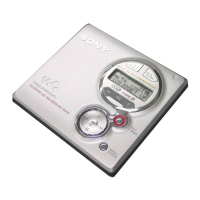
Sony MZ-R30 - User Manual

Sony MZ-R30
46 pages
Print Icon
To Next Page IconTo Next Page
Loading...
Confidential

Other manuals for Sony MZ-R30

Questions and Answers

  • M
    melindasmithJul 31, 2025
    What to do if no sound comes through the headphones on my Sony CD Player?
    • T
      Tanya NashJul 31, 2025
      If no sound is coming through your Sony CD Player headphones, first, ensure the headphone plug is fully inserted into the headphone/REMOTE jack. If that doesn't work, increase the volume using the VOLUME +/- buttons, or VOL +/- on the remote. Also, check if the AVLS (Automatic Volume Limiter System) is activated; if so, slide it to the NORMAL position.
  • A
    Angela BeltranAug 14, 2025
    Why does the clock lose time on my Sony MZ-R30?
    • G
      Gary OrtizAug 14, 2025
      To fix time loss or display flashing on your Sony CD Player, connect the AC power adapter to the DC IN 6 port on the recorder and plug it into the wall outlet to charge the built-in clock battery. After charging, reset the clock. Keep in mind that the clock typically loses about 2 minutes each month.
  • M
    Marissa BurkeAug 22, 2025
    What to do if my Sony MZ-R30 MD doesn't play from the first track?
    • A
      April WardAug 22, 2025
      If your Sony CD Player isn't playing an MD from the first track, it might be because the disc stopped before reaching the last track. Press the rewind button repeatedly, or open and close the lid to return to the beginning of the disc. Then, check the track number on the display and restart playback.
  • S
    Samantha HooverNov 5, 2025
    Why is my Sony MZ-R30 recorder not working properly?
    • C
      cfergusonNov 5, 2025
      If your Sony CD Player recorder isn't working well, start by checking that all audio source connections are secure; try disconnecting and reconnecting them. If that doesn't help, moisture might have condensed inside. Remove the MD and let the recorder sit in a warm spot for a few hours to allow the moisture to evaporate. Also, make sure the batteries aren't weak or installed incorrectly, if you are using batteries, charge or replace them, ensuring correct installation. If the disc indication was rotating quickly when you pressed a button, wait until it slows down. If the recording volume is too low, use a connecting cord without an attenuator. Finally, if the AC adapter was unplugged during recording or a power outage occurred, disconnect all power sources, wait 30 seconds, and then reconn...

Summary

MZ-R30 Operation Manual

Types of Power Supply

Differentiation of Power Supply

Circuit Voltage

Generation of APC Circuit Voltage

Generation of CLV and Audio Circuit Voltage

Generation of Stepping Motor Voltage

Operations During Charging

Monitor Output

Change in Mechanism Mode

Stepping Motor Control Circuit

Sony MZ-R30 Specifications

General IconGeneral
FormatsMiniDisc
Sampling Frequency44.1 kHz
TypeMiniDisc Recorder
CategoryPortable
Recording TimeUp to 74 minutes (standard MiniDisc)
Frequency Response20 Hz - 20 kHz
Power Source2 x AA batteries
Digital InputOptical
Headphone OutputYes

Related product manuals