EasyManua.ls Logo

Sony PCM-800 - Page 74

Sony PCM-800
135 pages
Print Icon
To Next Page IconTo Next Page
To Previous Page IconTo Previous Page
Loading...
chapters
lll
5-6
Striping
Time
Code
(With
the
DABK-801)
LP
Dig
gw
a
Oe
ee
A
SE
gl
Dubbing
procedure
TAL
IN
ae
L
x2)
IGTAL
IN
yy
Z
©
aes
Al
Tg
Rec
9H
\
|
GHASE
®
Vly
ly
—@—Piuy
—@pecorp
MACHINE
MENU
ly
o-
|
N
Ci
5-28
Chapter
5
Operation
Without
the
RM-D800
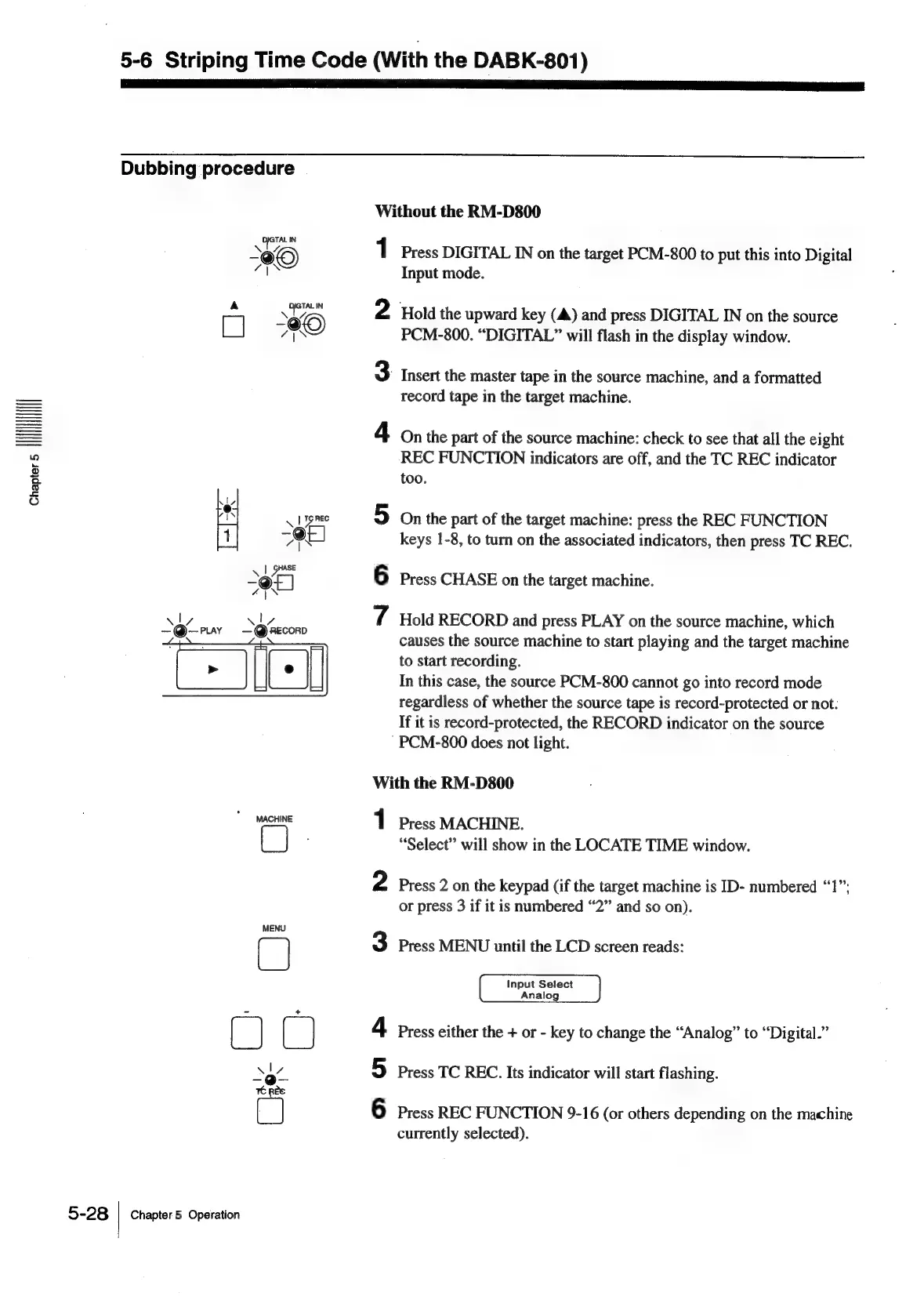
1
Press
DIGITAL
IN
on
the
target
PCM-800
to
put
this
into
Digital
Input
mode.
Hold
the
upward
key
(A)
and
press
DIGITAL
IN
on
the
source
PCM-800.
“DIGITAL”
will
flash
in
the
display
window.
3
Insert
the
master
tape
in
the
source
machine,
and
a
formatted
record
tape
in
the
target
machine.
On
the
part
of
the
source
machine:
check
to
see
that
all
the
eight
REC
FUNCTION
indicators
are
off,
and
the
TC
REC
indicator
too.
O1
On
the
part
of
the
target
machine:
press
the
REC
FUNCTION
keys
1-8,
to
turn
on
the
associated
indicators,
then
press
TC
REC.
o
Press
CHASE
on
the
target
machine.
7
Hold
RECORD
and
press
PLAY
on
the
source
machine,
which
causes
the
source
machine
to
start
playing
and
the
target
machine
to
start
recording.
In
this
case,
the
source
PCM-800
cannot
go
into
record
mode
regardless
of
whether
the
source
tape
is
record-protected
or
not.
If
it
is
record-protected,
the
RECORD
indicator
on
the
source
PCM-800
does
not
light.
With
the
RM-D800
1
Press
MACHINE.
“Select”
will
show
in
the
LOCATE
TIME
window.
2
Press
2
on
the
keypad
(if
the
target
machine
is
ID-
numbered
“1”;
or
press
3
if
it
is
numbered
“2”
and
so
on).
3
Press
MENU
until
the
LCD
screen
reads:
Input
Select
Analog
4
Press
either
the
+
or
-
key
to
change
the
“Analog”
to
“Digital.”
Ol
Press
TC
REC.
Its
indicator
will
start
flashing.
6
Press
REC
FUNCTION
9-16
(or
others
depending
on
the
machine
currently
selected).

Table of Contents