EasyManua.ls Logo

Sony PCM-800 - Page 83

Sony PCM-800
135 pages
Print Icon
To Next Page IconTo Next Page
To Previous Page IconTo Previous Page
Loading...
5-9
Fs
Shift
Select
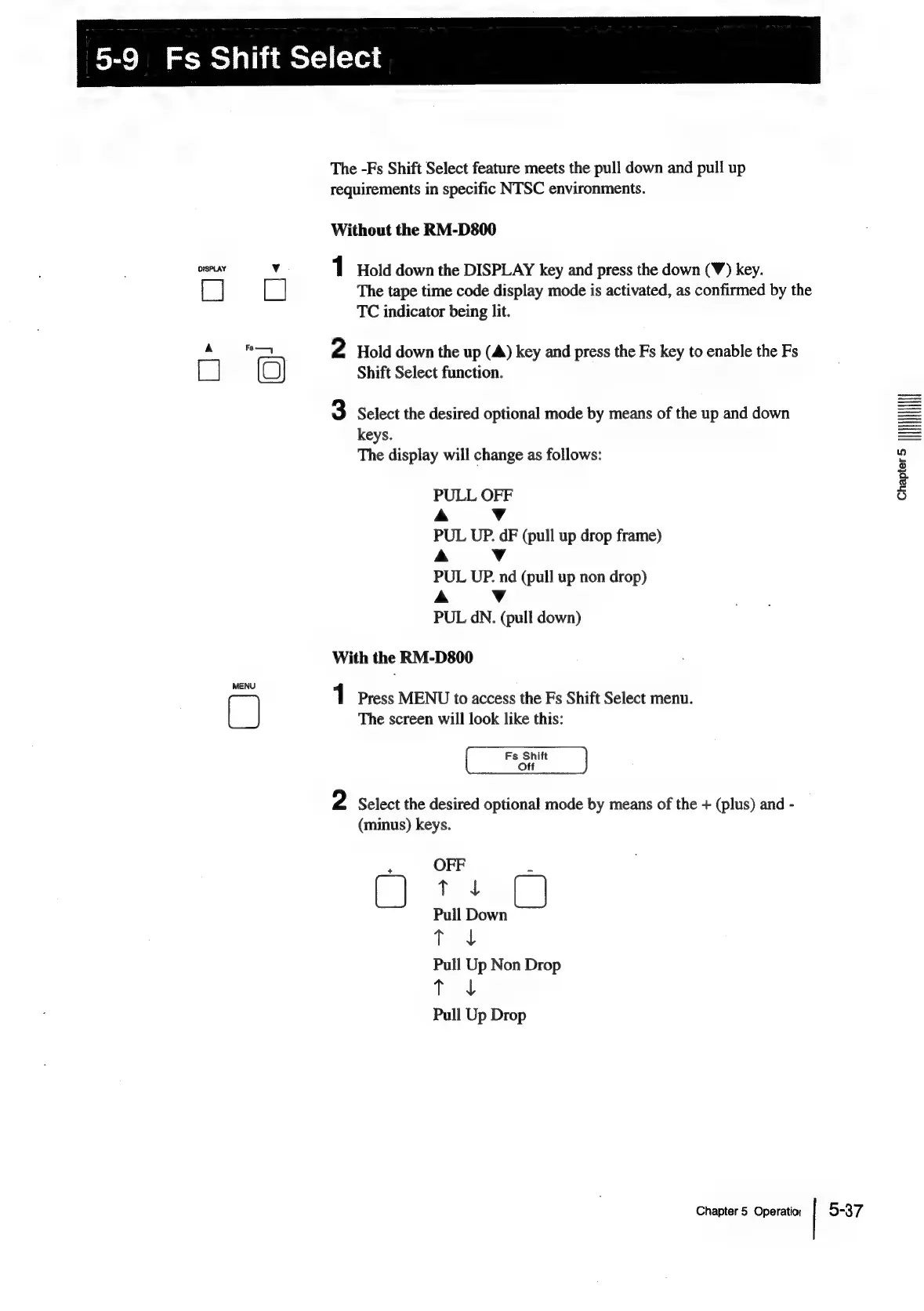
The
-Fs
Shift
Select
feature
meets
the
pull
down
and
pull
up
requirements
in
specific
NTSC
environments.
Without
the
RM-D800
eatetad
¥:
1
Hold
down
the
DISPLAY
key
and
press
the
down
(¥)
key.
[
|
[]
The
tape
time
code
display
mode
is
activated,
as
confirmed
by
the
TC
indicator
being
lit.
mT
2
Hold
down
the
up
(A)
key
and
press
the
Fs
key
to
enable
the
Fs
(‘
Shift
Select
function.
3
Select
the
desired
optional
mode
by
means
of
the
up
and
down
keys.
The
display
will
change
as
follows:
PULL
OFF
A
Vv
PUL
UP.
dF
(pull
up
drop
frame)
A
Vv
PUL
UP.
nd
(pull
up
non
drop)
A
Vv
PUL
dN.
(pull
down)
With
the
RM-D800
MENU
1
Press
MENU
to
access
the
Fs
Shift
Select
menu.
cal
The
screen
will
look
like
this:
Fs
Shift
Off
2
Select
the
desired
optional
mode
by
means
of
the
+
(plus)
and
-
(minus)
keys.
r
OFF
[]
td
Pull
Down
T
J
Pull
Up
Non
Drop
T
J
Pull
Up
Drop
Chapter
5
Operation
5-37
craprer
HHI

Table of Contents