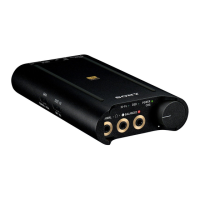
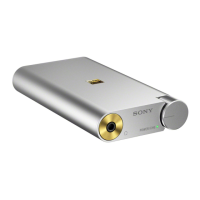
PHA-1
English
For customers using Macintosh
When the unit is connected to a Macintosh and sound is not played
back properly (noise is generated, etc.), make connections and settings
based on your OS version as follows.
1 Connect the headphones to the unit.
2 Start your computer.
3 Connect your computer to the
(USB) port of the unit,
using the micro-USB cable (supplied).
4 Set the input select switch to
(USB).
5 Rotate the power/volume knob clockwise to turn on the
unit.
6 Set your computer according on the OS version as follows.
For OS X 10.6 or later
Select [Finder], [Applications], [Utilities], [Audio MIDI Setup], [PHA-1],
then select [96000.0Hz] and [2ch-24bit] for [Format].
For OS X 10.5.8
Select [Finder], [Applications], [Utilities], [Audio MIDI Setup], [Audio
Devices], then select [PHA-1] for [Default Output], [System Output]
and [Properties For], [96000.0Hz] and [2ch-24bit] for [Format].
Note
Settings names may differ depending on your OS version.
Tip
Once the settings have been made, you can use your Macintosh without change.
Trademark Notice
Macintosh and Mac OS are trademarks of Apple Inc., registered in the US, and other
countries.
©2012 Sony Corporation Printed in China 4-450-103- (1)






 To Next Page