04
Basic operations
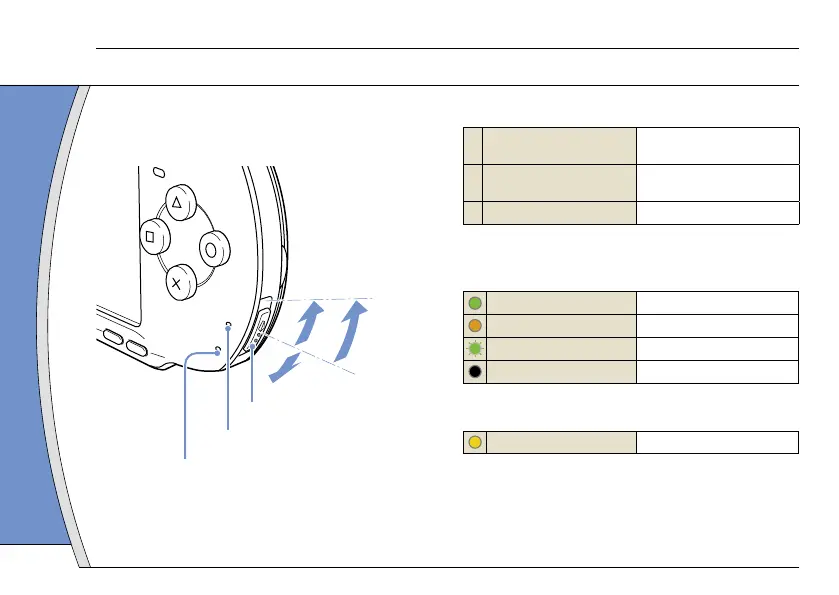
Use the POWER/HOLD switch to turn the system on
or off, or to put it into sleep or hold mode.
POWER/HOLD switch
POWER indicator
HOLD indicator
POWER/HOLD switch
A
Turning the system on /
Putting into sleep mode
Slide up
B Turning the system off
Slide up and hold for more
than three seconds
C Locking the system buttons*
Slide down
*All operations using system buttons are locked.
POWER indicator
Solid green
Power on
Solid orange
Charging
Flashing green
Charge level is low
Light off
Power off/in sleep mode
HOLD indicator
Solid yellow
In hold mode
Power and sleep mode functions
10












 To Next Page