DE
IT
NL
PT
Warning
Keep Memory Stick Duo™ media out of the reach of small
children, as the media could be swallowed by accident.
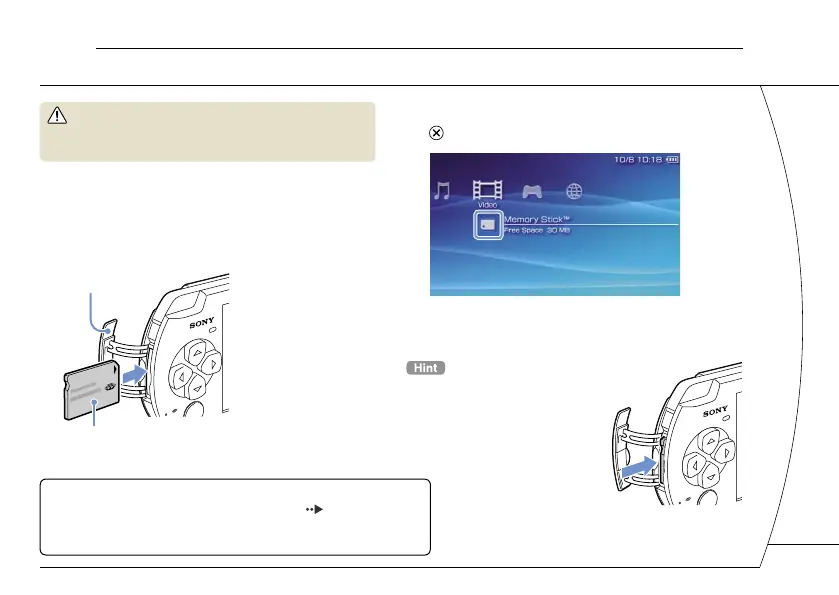
1 Open the slot cover.
2 Press the Memory Stick Duo™ media
until fully inserted.
The icon is displayed in the Home Menu.
Front side
Slot cover
3 Select the icon, and then press the
button.
A list of content that can be played is displayed.
Notice
When the Memory Stick Duo™ access indicator ( page 8) is lit, do
not eject the Memory Stick Duo™ media, turn off the system, or put the
system into sleep mode. Doing so may cause data loss or corruption.
To remove the Memory Stick Duo™
media, press the media once in the
direction of the arrow.
06
Playing Memory Stick Duo™ content
Basic operations
13







 To Next Page