02
Preparing the PSP
®
system for use
Preparation
Charging the battery
Before using the PSP
®
system for the first time after
purchase, you must follow these steps to charge the
battery.
Caution
• The socket-outlet shall be installed near the equipment
and shall be easily accessible.
• Do not plug the AC Adaptor or the AC Power Cord for the
PSP
®
system into an electrical outlet until you have made
all other connections.
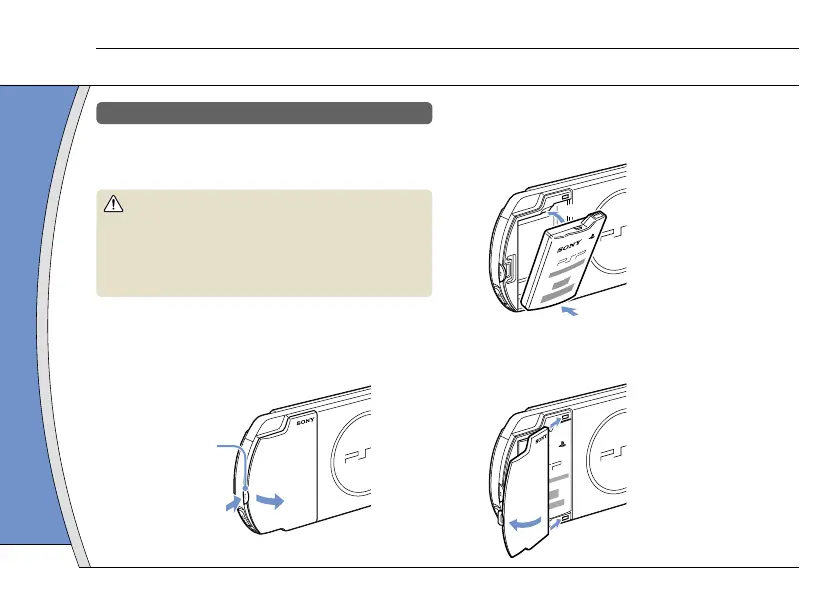
1 Remove the battery cover.
While holding down the release button, slide the battery
cover in the direction of the arrow.
Release button
2 Insert the Battery Pack.
Align the bottom surface of the battery pack with the
system to attach the battery.
Align the tabs of the battery cover with the system and
snap it in place.
6







 To Next Page