DE
IT
NL
PT
Preparation
Preparing the PSP
®
system for use
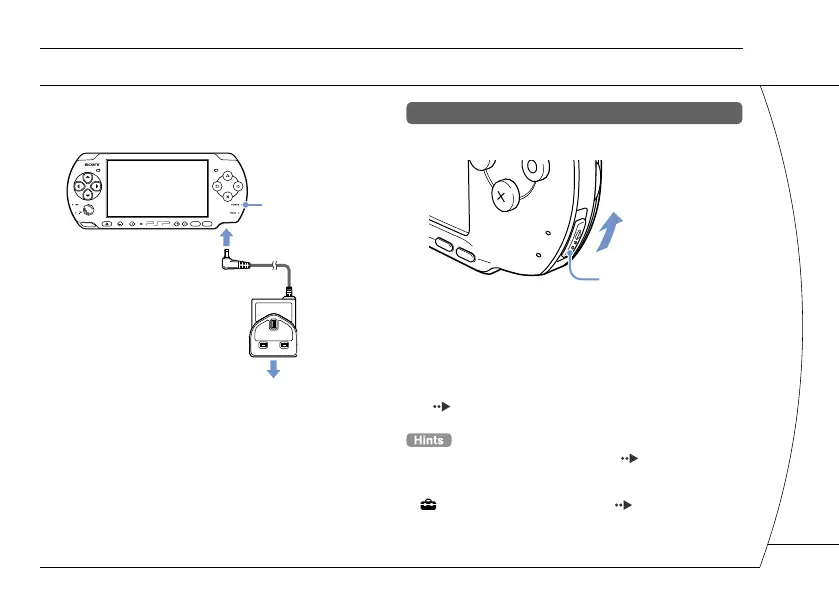
3 Attach the AC Adaptor* to charge the
battery.
POWER indicator
To electrical outlet
The POWER indicator lights up in orange, indicating that
charging has begun. The POWER indicator will turn off
when the battery is fully charged.
* Some regions and countries may use a different AC
Adaptor from the one illustrated.
Initial setup
1 Slide the POWER/HOLD switch up.
POWER/HOLD switch
The POWER indicator lights up in green, and the initial
setup screen is displayed.
2 Follow the on-screen instructions to
make the initial settings.
When you have completed initial setup, the Home Menu
( page 2) is displayed.
• See "Using the on-screen keyboard" ( page 26) for
information on entering characters.
• Settings made during initial setup can be changed later in
(Settings). See the user's guide ( page 25) for
details.
7







 To Next Page