05
Playing UMD content
Basic operations
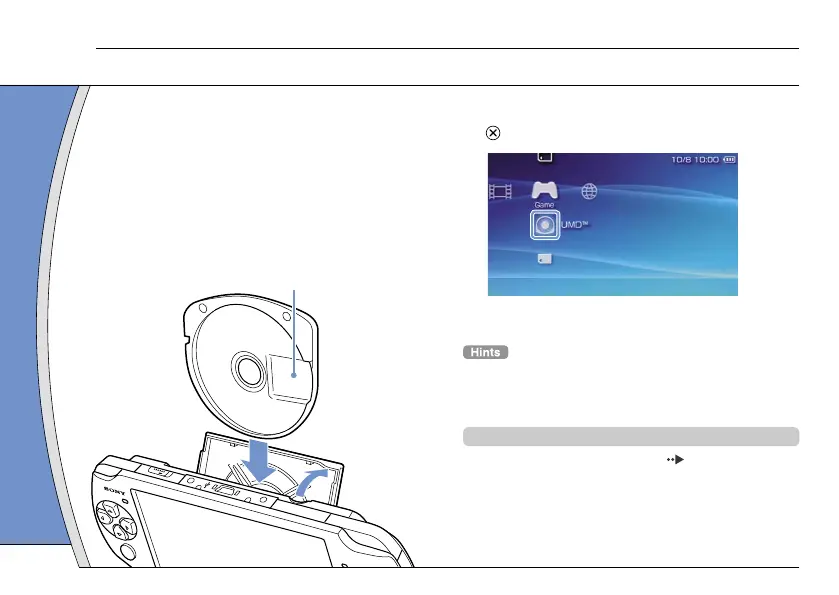
1 Place your finger in the indentation on
the top of the system to open the disc
cover.
2 Insert a UMD and close the disc cover.
Check that the disc cover is tightly closed.
The icon is displayed in the Home Menu.
Do not touch the recorded surface.
3 Select the icon, and then press the
button.
Playback begins.
• Press the PS button to quit a game.
• To remove the UMD, stop playback and then open the disc
cover.
Using the microphone
The PSP
®
system’s microphone ( page 8) may be
used to play certain games and to make calls using
Go!Messenger. Refer to instructions for the software
in use and visit gomessenger.bt.com for details.
12







 To Next Page