DE
IT
NL
PT
08
Copying music/videos/images
Basic operations
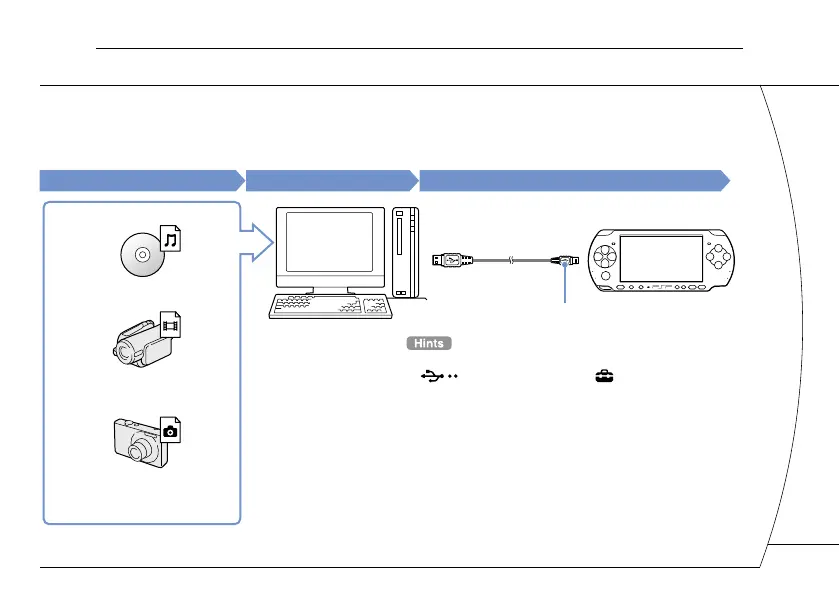
Copy music/video/image files to Memory Stick Duo™ media and play or view files on the PSP
®
system.
Copy methods vary depending on the device and software in use as well as file type. The following instructions
are based on the most common copying methods.
Music/video/image source
To a PC
To a PSP
®
system
Examples:
Audio CD
Video files
Digital still camera
PC
USB cable
Mini-B (5-pin) type
• To switch the PSP
®
system to USB mode manually, select
(USB Connection) under (Settings).
• Instead of a USB cable, you can use a Memory Stick USB
reader/writer (not included) or a PC with a Memory Stick™
slot.
15







 To Next Page