Need help?
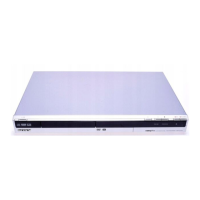
Do you have a question about the Sony RDR-GX315 and is the answer not in the manual?
Warnings about electrical shock, moisture, opening cabinet, and unauthorized modifications.
Safety advice on power sources, placement, ventilation, and preventing heat buildup.
A list of 14 essential safety instructions for operating the apparatus.
Caution regarding permanent damage to TV screens from static images.
Step-by-step guide for connecting and setting up the DVD recorder.
Steps for connecting the power cord and preparing the remote control.
Step-by-step guide for initial setup: language, clock, tuner, TV type, audio.
How to play DVDs with parental controls and enter passwords.
How to play MP3 audio files from DATA CDs and DATA DVDs.
How to play JPEG image files from DATA CDs and DATA DVDs.
Preparation steps including disc selection and checking space before recording.
Details on different recording modes (HQ, SP, LP, etc.) and their trade-offs.
How to perform direct recording without using timer settings.
How to set a quick timer for recording in 30-minute increments.
How to set timers for up to 12 programs in advance.
How to automatically record from connected equipment with a timer.
How to modify or delete existing timer recording settings.
How to finalize discs for playback on other DVD equipment.
How to connect a digital video camera to the DV IN jack for recording.
How to dub an entire DV/D8 tape to a DVD with a single button press.
How to limit DVD playback based on user age and set a password.
How to run Easy Setup to reset the recorder to factory default settings.
Troubleshooting for power, no picture, picture noise, and distorted images.
Troubleshooting for disc playback, sound, language, and recording problems.
Troubleshooting for remote control, display errors, and system malfunctions.
 General
| Type | DVD Recorder |
|---|---|
| Recording Format | DVD-R, DVD-RW, DVD+R, DVD+RW |
| Video Format | MPEG-2 |
| Weight | 3.5 kg |
| TV Tuner | Yes |
| Progressive Scan | Yes |
| Remote Control | Yes |
| Tuner | Analog |
| Audio Recording System | Dolby Digital |
| Audio Format | Dolby Digital |
| Input/Output | S-Video |
| Recording Time | Up to 6 hours (LP mode) |
| Dimensions | 430 mm |
| Disc Compatibility | DVD-R, DVD-RW, DVD+R, DVD+RW, CD-R, CD-RW |
| Video Recording System | PAL |


 To Next Page