36
Playback Options
Button Operation Disc
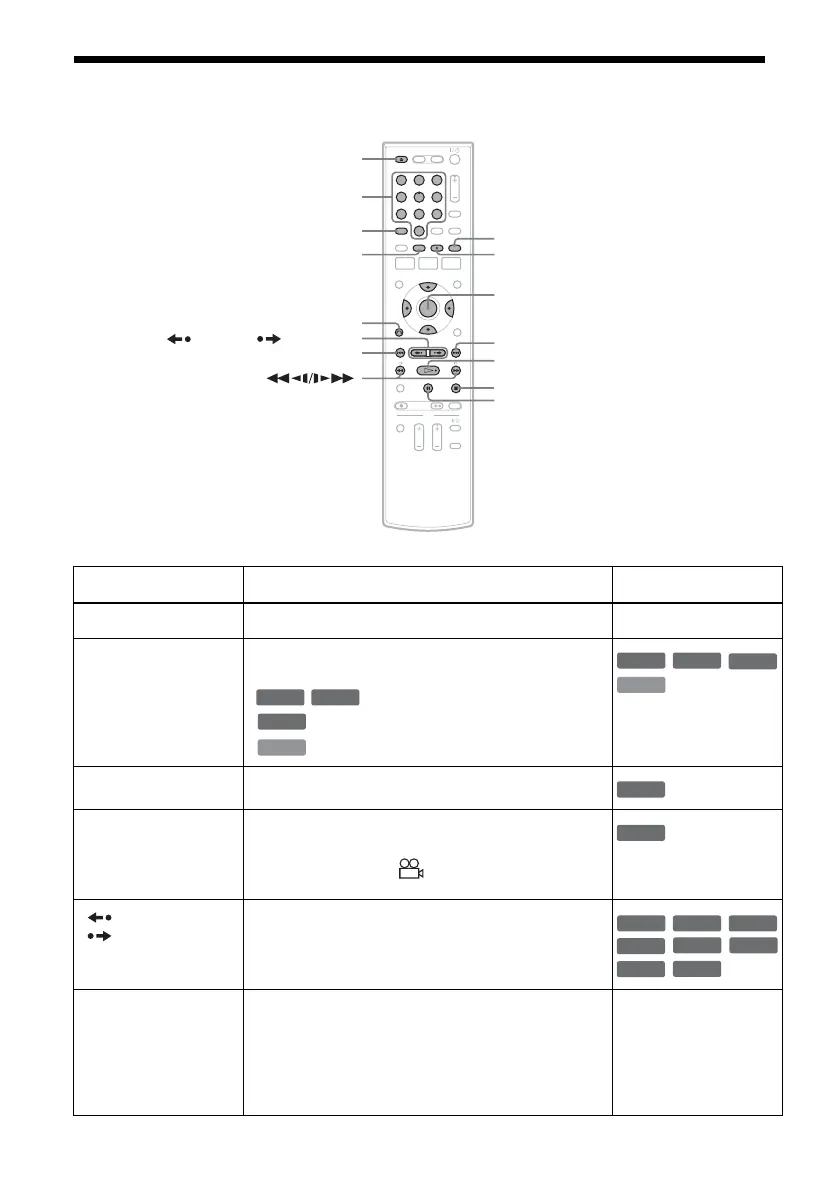
Z OPEN/CLOSE Stops playing and opens the disc tray. All discs
AUDIO Selects one of the audio tracks recorded on the disc
when pressed repeatedly.
: Selects the main or sub sound.
: Selects the audio source.
: Selects stereo or monaural audio tracks.
SUBTITLE Selects a subtitle language when pressed repeatedly.
.
ANGLE Selects an angle when pressed repeatedly.
If various angles (multi-angles) for a scene are
recorded on the disc, “ ” appears in the front panel
display.
REPLAY/
ADVANCE
• Replays or briefly fast forwards a scene when
pressed during playback.
• Goes to the previous or next frame when pressed
during pause mode.
. PREV/
NEXT >
• Goes to the beginning of the current or next title/
chapter/scene/track and starts playback when
pressed during playback.
• Goes to the beginning of the previous title/chapter/
scene/track when .PREV is pressed within three
seconds after starting a title/chapter/scene/track.
All discs
11 22 33
44 55 66
77 88
00
99
Z OPEN/CLOSE
X PAUSE
AUDIO
. PREV
REPLAY/ ADVANCE
x STOP
SUBTITLE
MENU
H PLAY
M/m/</,,
ENTER
Number buttons
O RETURN
> NEXT
ANGLE
-
RWVR
-
RVR
DVD
VCD
DVD
VCD
-
RWVR
-
RVR
DVD
DVD
+
RW
-
RWVR
-
RW
Video
+
R
DVD
-
RVR
-
R
Video
RAM















 To Next Page