64
“Move”: Allows you to change scene order
(page 65).
“Add”: Allows you to add other scenes before
a selected scene (page 65).
“Copy”: Allows you to copy a scene
(page 66).
To return to the previous display
Press O RETURN.
To turn off the display
Press SYSTEM MENU.
z Hint
The Resume Play function will work for scene playback.
Note
You cannot create or edit Playlist titles on a finalized
disc.
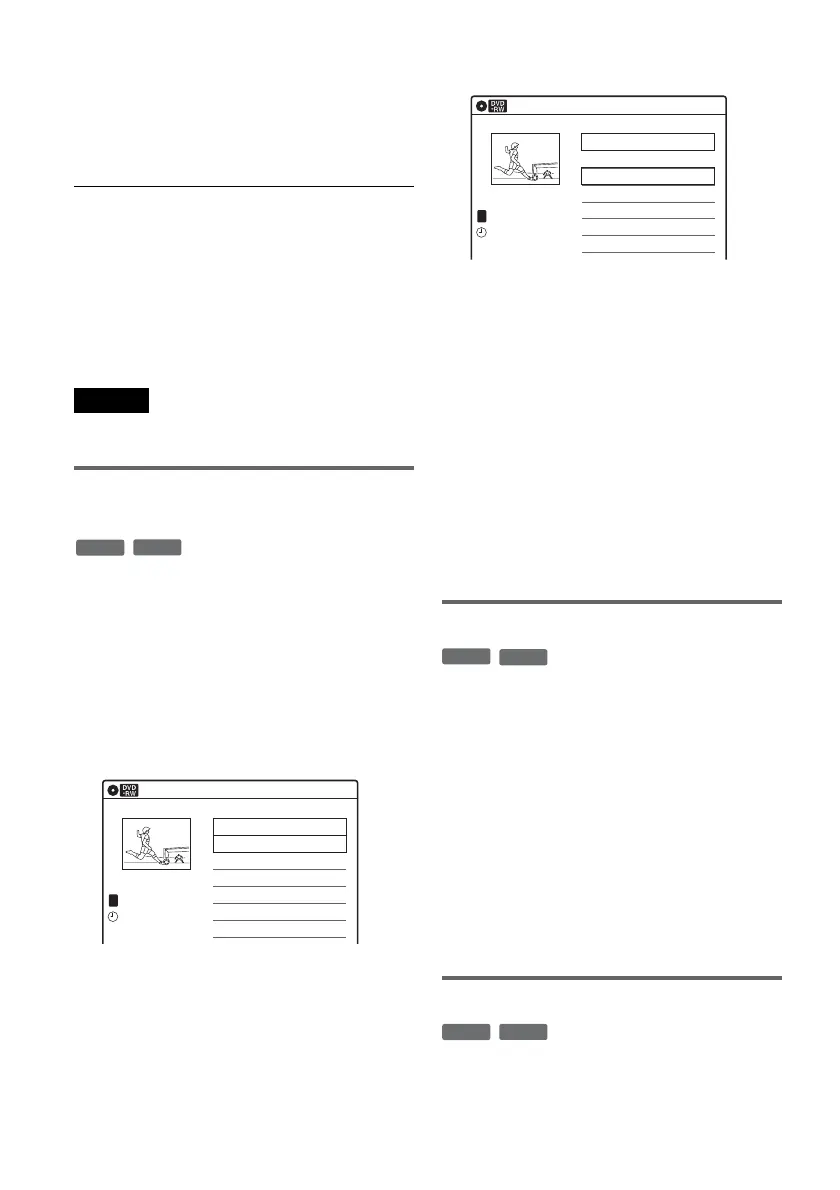
Combining two titles into one
(Combine Titles)
You can select a Playlist title and combine it with
another Playlist title.
1 Follow steps 1 to 5 of “Editing a Playlist”
(page 63) to select a Playlist title.
The sub-menu appears.
2 Select “Combine Titles,” and press
ENTER.
The next title below is also selected.
3 Select a Playlist title to be combined.
4 Press ENTER.
The display asks for confirmation.
5 Select “Yes,” and press ENTER.
The display asks whether to rename the title.
To use the same name as before, select “No”
and press ENTER to finish.
6 Select “Yes,” and press ENTER.
The “Title Name” display appears.
7 Follow steps 5 to 7 of “Changing the Name
of a Title” (page 60) to complete
renaming.
The two Playlist titles become one Playlist
title with the new name.
Erasing a scene (Erase)
You can erase a selected scene.
1 Follow steps 1 to 7 of “Editing a Playlist”
(page 63).
The “Edit Scene” display appears.
2 Select the scene you want to erase, and
press ENTER.
3 Select “Erase,” and press ENTER.
The display asks for confirmation.
4 Select “OK,” and press ENTER.
The selected scene is erased.
To erase other scenes, repeat from step 2.
Modifying a scene (Modify)
You can change the start and end point of the
selected scene.
-
RWVR
-
RVR
Playlist
10:10 AM
>
>
LINE
1
03:25 PM
May/02/2007
T
No. Title Length Edit
01 LINE 1 00:05:04
02 LINE 1 00:00:51
03 LINE 1 >01:59:00
04 LINE 1 >00:58:56
1/4
Playlist
10:10 AM
>
>
11:30 PM
May/15/2007
T
No. Title Length Edit
01 LINE 1 00:05:04
02 LINE 1 00:00:51
03 LINE 1 >01:59:00
04 LINE 1 >00:58:56
3/4
LINE
1
-
RWVR
-
RVR
-
RWVR
-
RVR















 To Next Page