37
Names and Functions of Parts
CC (color temperature conversion
filter) select switch and indicator
Use this switch to select the CC filter.
Press the switch upward to change the CC
filter in order and downward to change the
CC filter in the reverse order.
The CC indicator displays the currently
selected CC filter.
This switch is disabled for a camera not
equipped with a CC filter servo system or a
camera without CC filters.
MASTER GAIN/menu item select
switch and indicator
In RM Function Operation mode, use this
switch to select the master gain value. Press
the switch upward for higher values and
downward for lower values. The MASTER
GAIN indicator displays the currently
selected master gain value.
In RM Configuration Menu mode, use this
switch to select menu items. The currently
selected item is displayed on the MASTER
GAIN indicator.
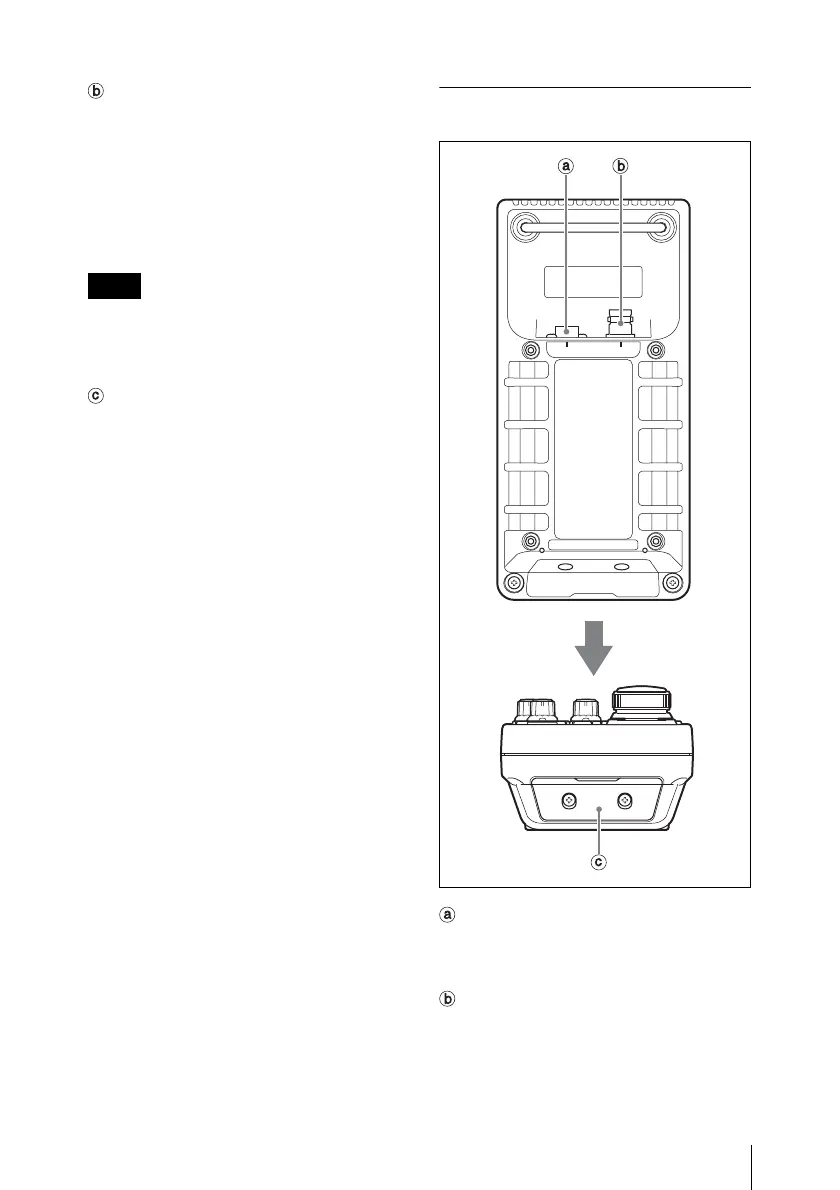
Connector Panel
CAMERA connector (8-pin)
Connect to the camera, using the supplied
remote control cable.
MONITOR connector (BNC)
Connect to a color monitor to observe the
analog video signal from the camera.
Note
CAMERA MONITOR
EXT I/O











 To Next Page