41
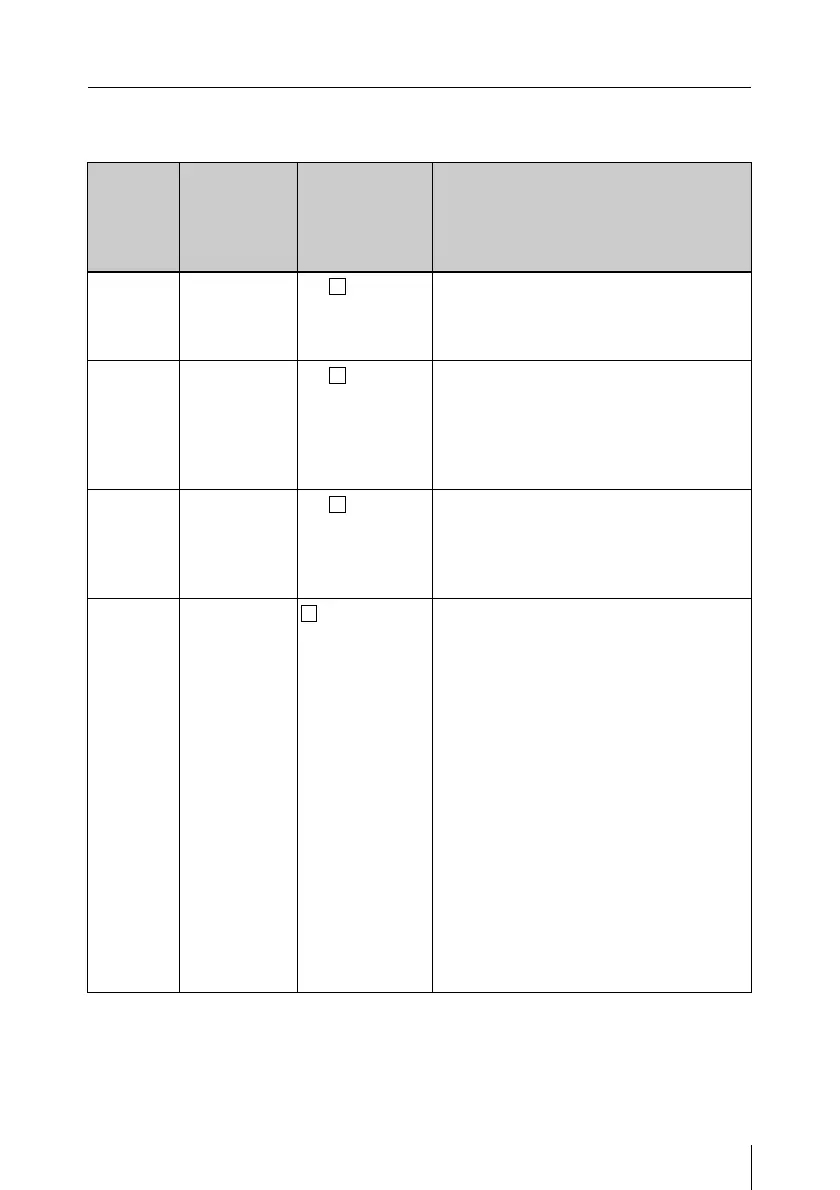
Settings on the RM Configuration Menu
Basic Menu
(A boxed value under “Setting” indicates the factory setting.)
Item Item
indication
(on MASTER
GAIN
indicator)
Setting
(on adjustment
value
indicator)
Function
Indicator
brightness
LU
1 - 5 - 10
Sets the brightness of the indicators.
A higher value makes the display
brighter, and a lower value makes it
darker.
Buzzer
volume
(for click)
b1
0 - 5 - 10
Sets the sound volume that occurs when
operating (click volume).
A higher value increases the sound
volume, and a lower value decreases it.
To check the volume during setting,
press the ON button.
Buzzer
volume
(for call)
b2
0 - 5 - 10
Sets the sound volume for call.
A higher value increases the sound
volume, and a lower value decreases it.
To check the volume during setting,
press the ON button.
ASSIGN-
ABLE 1
a)
A1
0 - 9
Assigns a function to the assignable 1
button.
0: NO ASSIGN (no function assigned)
1: STANDARD (calling up the standard
paint data)
b)
2: CALL (functioning as call button)
3: TEST (selecting test signal)
4: ATW (auto-tracing white balance
function)
5: 5600K (selecting 5600K electric
filter)
6: FREEZE MIX (selecting freeze
mixing display)
7: SHOT MARK 2 (setting of shot mark
2)
8: D.EXT (x2) (selecting a double digital
extender)
9: D.EXT (x3) (selecting a triple digital
extender)











 To Next Page