EasyManua.ls Logo

Sony RM-E100V - Page 13

Sony RM-E100V
23 pages
Print Icon
To Next Page IconTo Next Page
To Previous Page IconTo Previous Page
Loading...
Display
Window
Program
Number
[P]
LR
“a
Blinks.
2
.!
a!
<
!
(7
-,
~
~
\~~
\~
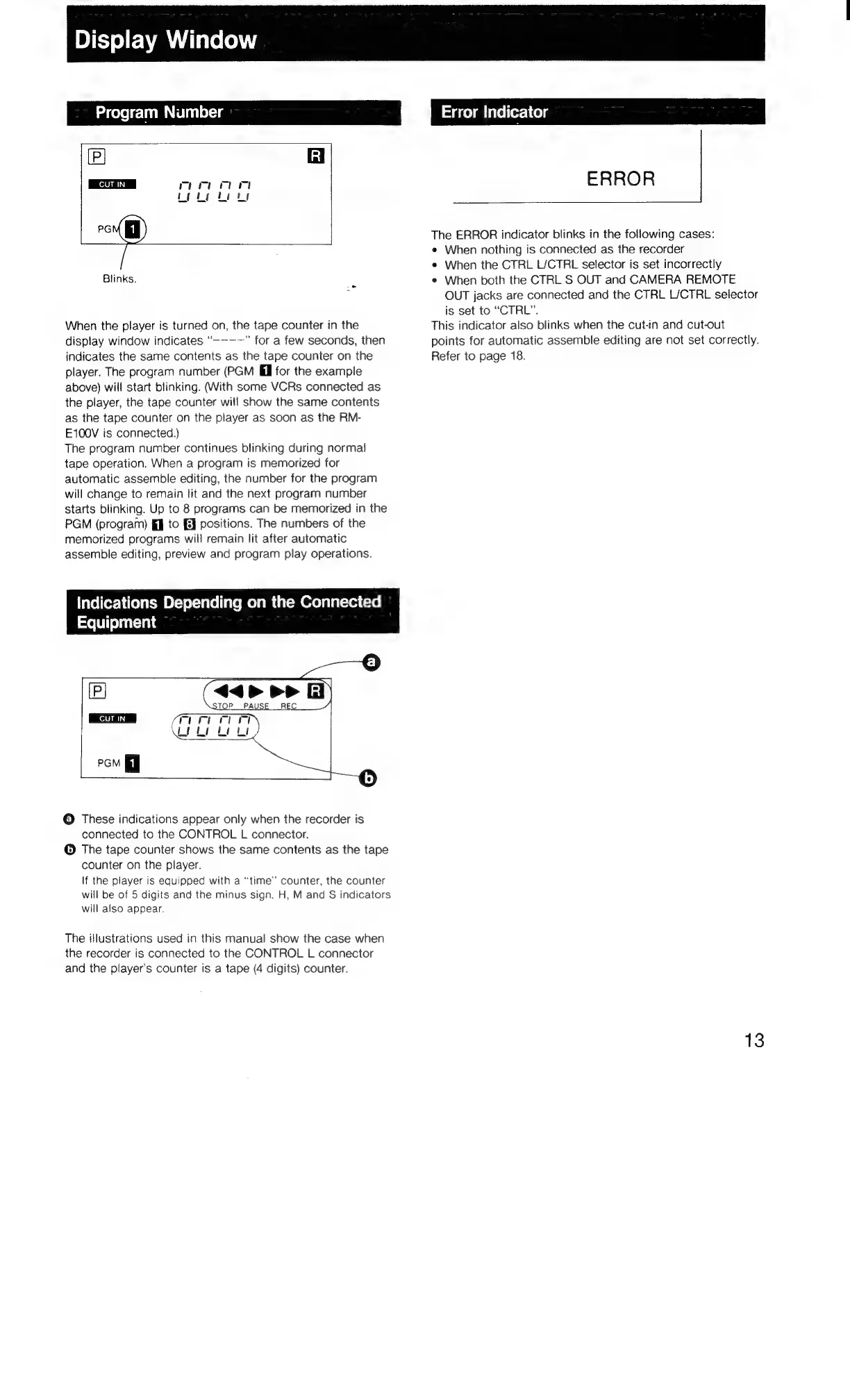
When
the
player
is
turned
on,
the
tape
counter
in
the
display
window
indicates
“---~—”
for
a
few
seconds,
then
indicates
the
same
contents
as
the
tape
counter
on
the
player.
The
program
number
(PGM
fl
for
the
example
above)
will
start
blinking.
(With
some
VCRs
connected
as
the
player,
the
tape
counter
will
show
the
same
contents
as
the
tape
counter
on
the
player
as
soon
as
the
RM-
E100V
is
connected.)
The
program
number
continues
blinking
during
normal
tape
operation.
When
a
program
is
memorized
for
automatic
assemble
editing,
the
number
for
the
program
will
change
to
remain
lit
and
the
next
program
number
starts
blinking.
Up
to
8
programs
can
be
memorized
in
the
PGM
(program)
{J
to
FE}
positions.
The
numbers
of
the
memorized
programs
will
remain
lit
after
automatic
assemble
editing,
preview
and
program
play
operations.
Tatelfor:\
cColatcwm
BL-ver-racel
lave
Melt
m
UM
erelilit=red
(10
Equipment
[P]
CUT
IN
©
These
indications
appear
only
when
the
recorder
is
connected
to
the
CONTROL
L
connector.
©
The
tape
counter
shows
the
same
contents
as
the
tape
counter
on
the
player.
If
the
player
is
equipped
with
a
“time”
counter,
the
counter
will
be
of
5
digits
and
the
minus
sign.
H,
M
and
S
indicators
will
also
appear.
The
itlustrations
used
in
this
manual
show
the
case
when
the
recorder
is
connected
to
the
CONTROL
L
connector
and
the
player's
counter
is
a
tape
(4
digits)
counter.
aidce)aiicel(orshielg
ERROR
The
ERROR
indicator
blinks
in
the
following
cases:
¢
When
nothing
is
connected
as
the
recorder
e
When
the
CTRL
L/CTRL
selector
is
set
incorrectly
e
When
both
the
CTRL
S
OUT
and
CAMERA
REMOTE
OUT
jacks
are
connected
and
the
CTRL
L/CTRL
selector
is
set
to
“CTRL”.
This
indicator
also
blinks
when
the
cut-in
and
cut-out
points
for
automatic
assemble
editing
are
not
set
correctly.
Refer
to
page
18.
13

Related product manuals