EasyManua.ls Logo

Sony RM-E100V - Page 14

Sony RM-E100V
23 pages
Print Icon
To Next Page IconTo Next Page
To Previous Page IconTo Previous Page
Loading...
Operation
of
the
Player
and
the
Recorder
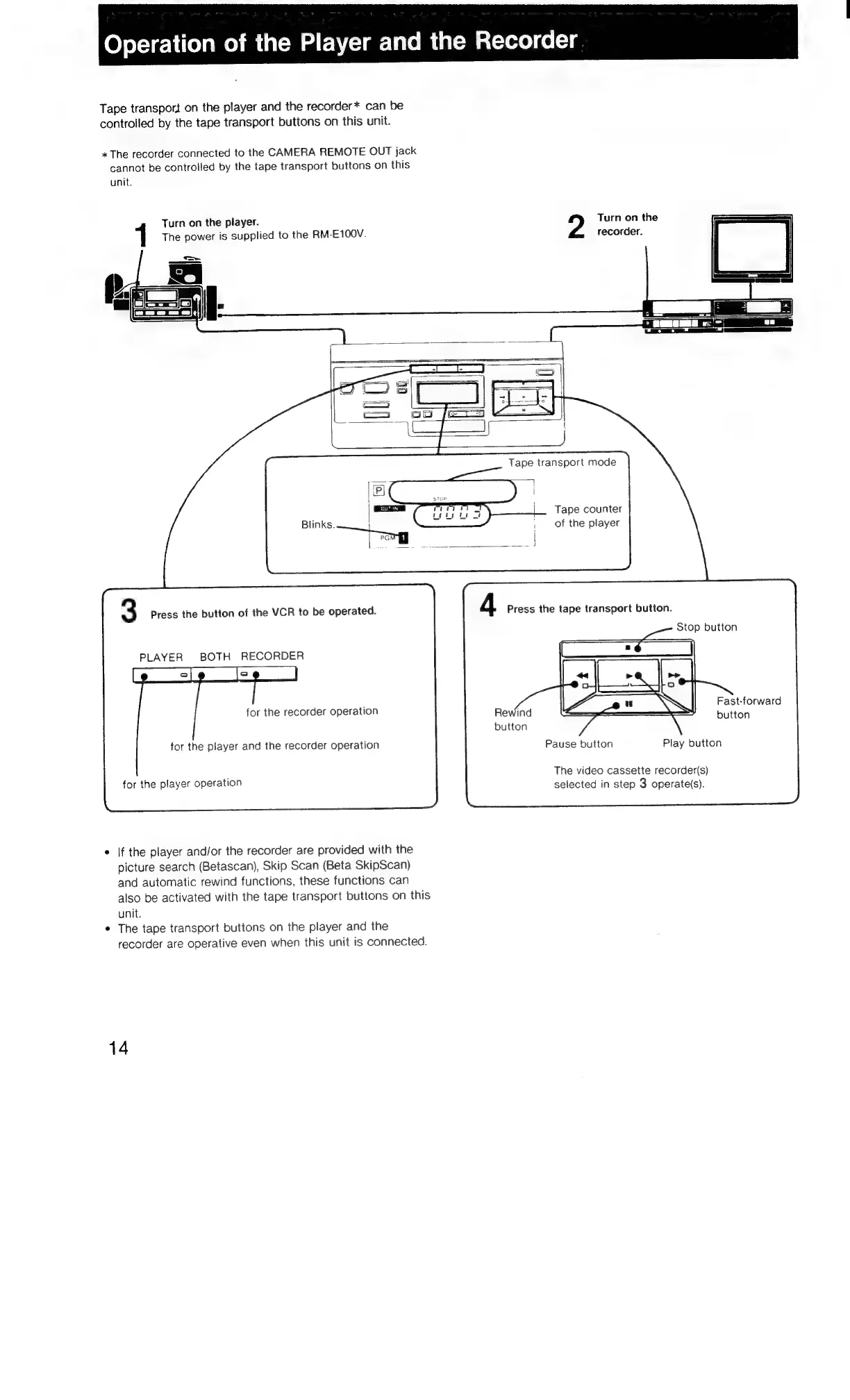
Tape
transport
on
the
player
and
the
recorder*
can
be
controlled
by
the
tape
transport
buttons
on
this
unit.
*
The
recorder
connected
to
the
CAMERA
REMOTE
OUT
jack
cannot
be
controlled
by
the
tape
transport
buttons
on
this
unit.
Turn
on
the
player.
Turn
on
the
The
power
is
supplied
to
the
RM-E100V.
recorder.
Tape
counter
of
the
player
3
Press
the
button
of
the
VCR
to
be
operated.
4
Press
the
tape
transport
button.
Stop
button
PLAYER
BOTH
RECORDER
Fast-forward
button
for
the
recorder
operation
for
the
player
and
the
recorder
operation
Pause
button
Play
button
The
video
cassette
recorder(s)
selected
in
step
3
operate(s).
for
the
player
operation
*
If
the
player
and/or
the
recorder
are
provided
with
the
picture
search
(Betascan),
Skip
Scan
(Beta
SkipScan)
and
automatic
rewind
functions,
these
functions
can
also
be
activated
with
the
tape
transport
buttons
on
this
unit.
¢
The
tape
transport
buttons
on
the
player
and
the
recorder
are
operative
even
when
this
unit
is
connected.
14

Related product manuals