EasyManua.ls Logo

Sony RM-E100V - Page 15

Sony RM-E100V
23 pages
Print Icon
To Next Page IconTo Next Page
To Previous Page IconTo Previous Page
Loading...
sF-k-y
(eam
oli
diare
Mi
Cele(=t—
For
the
recorder
connected
to
the
CAMERA
REMOTE
OUT
jack,
these
modes
cannot
be
activated.
To
Edit
the
Entire
Tape
Contents
to
Another
Tape
1
Press
the
BOTH
button
and
the
<q
button
to
rewind
the
tape
on
the
player
and
the
recorder
to
the
beginning.
2
Press
the
VIDEO
EDIT
button.
Editing
begins.
Sed
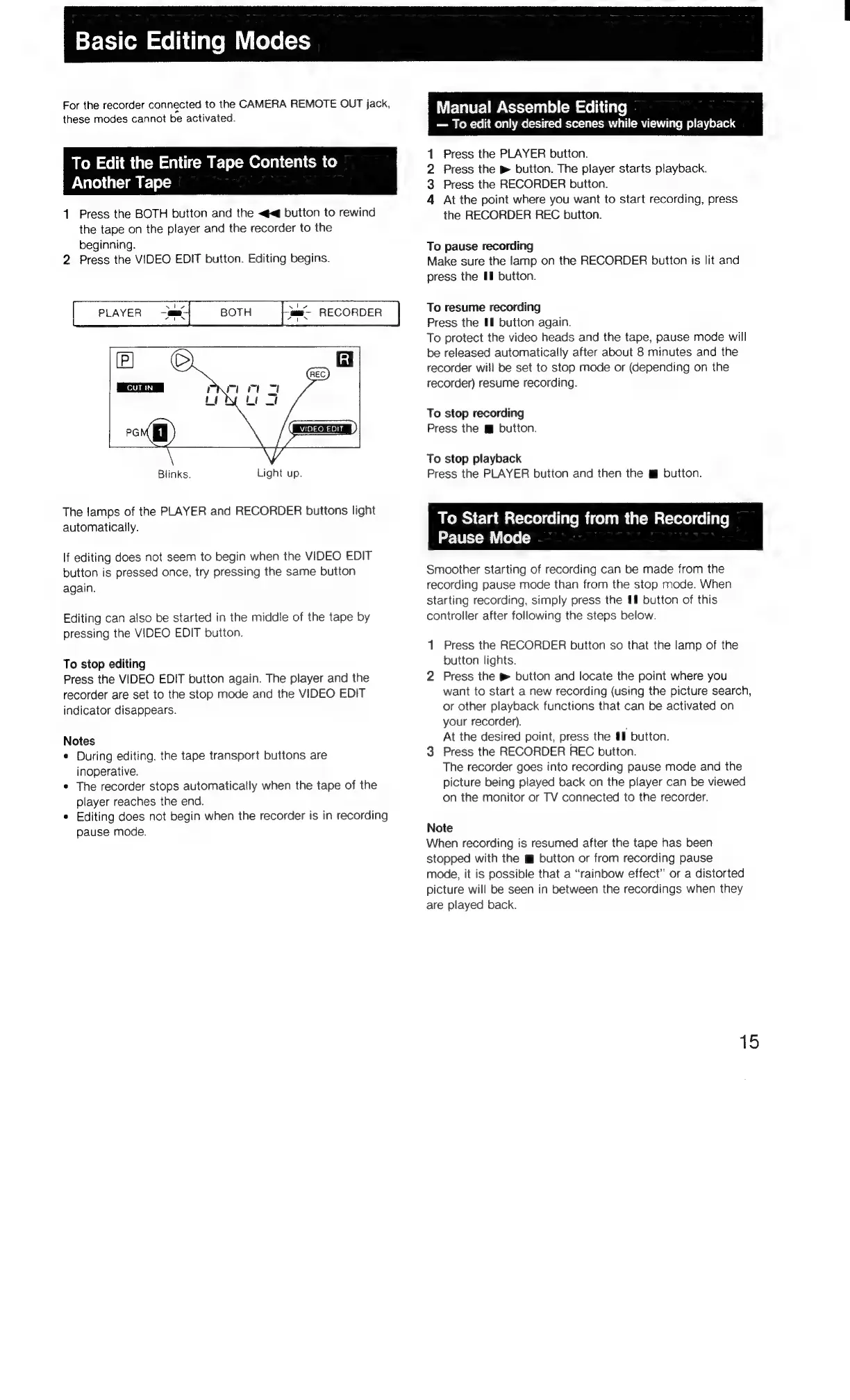
PLAYER
am
BOTH
ma
RECORDER
“te
Blinks.
Light
up.
The
lamps
of
the
PLAYER
and
RECORDER
buttons
light
automatically.
If
editing
does
not
seem
to
begin
when
the
VIDEO
EDIT
button
is
pressed
once,
try
pressing
the
same
button
again.
Editing
can
also
be
started
in
the
middle
of
the
tape
by
pressing
the
VIDEO
EDIT
button.
To
stop
editing
Press
the
VIDEO
EDIT
button
again.
The
player
and
the
recorder
are
set
to
the
stop
mode
and
the
VIDEO
EDIT
indicator
disappears.
Notes
¢
During
editing.
the
tape
transport
buttons
are
inoperative.
e
The
recorder
stops
automatically
when
the
tape
of
the
player
reaches
the
end.
¢
Editing
does
not
begin
when
the
recorder
is
in
recording
pause
mode.
Manual
Assemble
Editing
To
edit
only
desired
scenes
while
viewing
playback
Press
the
PLAYER
button.
Press
the
button.
The
player
starts
playback.
Press
the
RECORDER
button.
At
the
point
where
you
want
to
start
recording,
press
the
RECORDER
REC
button.
kwWN
4
To
pause
recording
Make
sure
the
lamp
on
the
RECORDER
button
is
lit
and
press
the
Hl
button.
To
resume
recording
Press
the
#f
button
again.
To
protect
the
video
heads
and
the
tape,
pause
mode
will
be
released
automatically
after
about
8
minutes
and
the
recorder
will
be
set
to
stop
mode
or
(depending
on
the
recorder)
resume
recording.
To
stop
recording
Press
the
mi
button.
To
stop
playback
Press
the
PLAYER
button
and
then
the
button.
POR
Clamalcoreem
coum
manele!
Pause
Mode
Smoother
starting
of
recording
can
be
made
from
the
recording
pause
mode
than
from
the
stop
mode.
When
starting
recording,
simply
press
the
#
button
of
this
controller
after
following
the
steps
below.
1
Press
the
RECORDER
button
so
that
the
lamp
of
the
button
lights.
2
Press
the
®
button
and
locate
the
point
where
you
want
to
start
a
new
recording
(using
the
picture
search,
or
other
playback
functions
that
can
be
activated
on
your
recorder).
At
the
desired
point,
press
the
#9
button.
3
Press
the
RECORDER
REC
button.
The
recorder
goes
into
recording
pause
mode
and
the
picture
being
played
back
on
the
player
can
be
viewed
on
the
monitor
or
TV
connected
to
the
recorder.
Note
When
recording
is
resumed
after
the
tape
has
been
stopped
with
the
m
button
or
from
recording
pause
mode,
it
is
possible
that
a
“rainbow
effect”
or
a
distorted
picture
will
be
seen
in
between
the
recordings
when
they
are
played
back.
15

Related product manuals