EasyManua.ls Logo

Sony RM-E700 - Page 15

Sony RM-E700
58 pages
Print Icon
To Next Page IconTo Next Page
To Previous Page IconTo Previous Page
Loading...
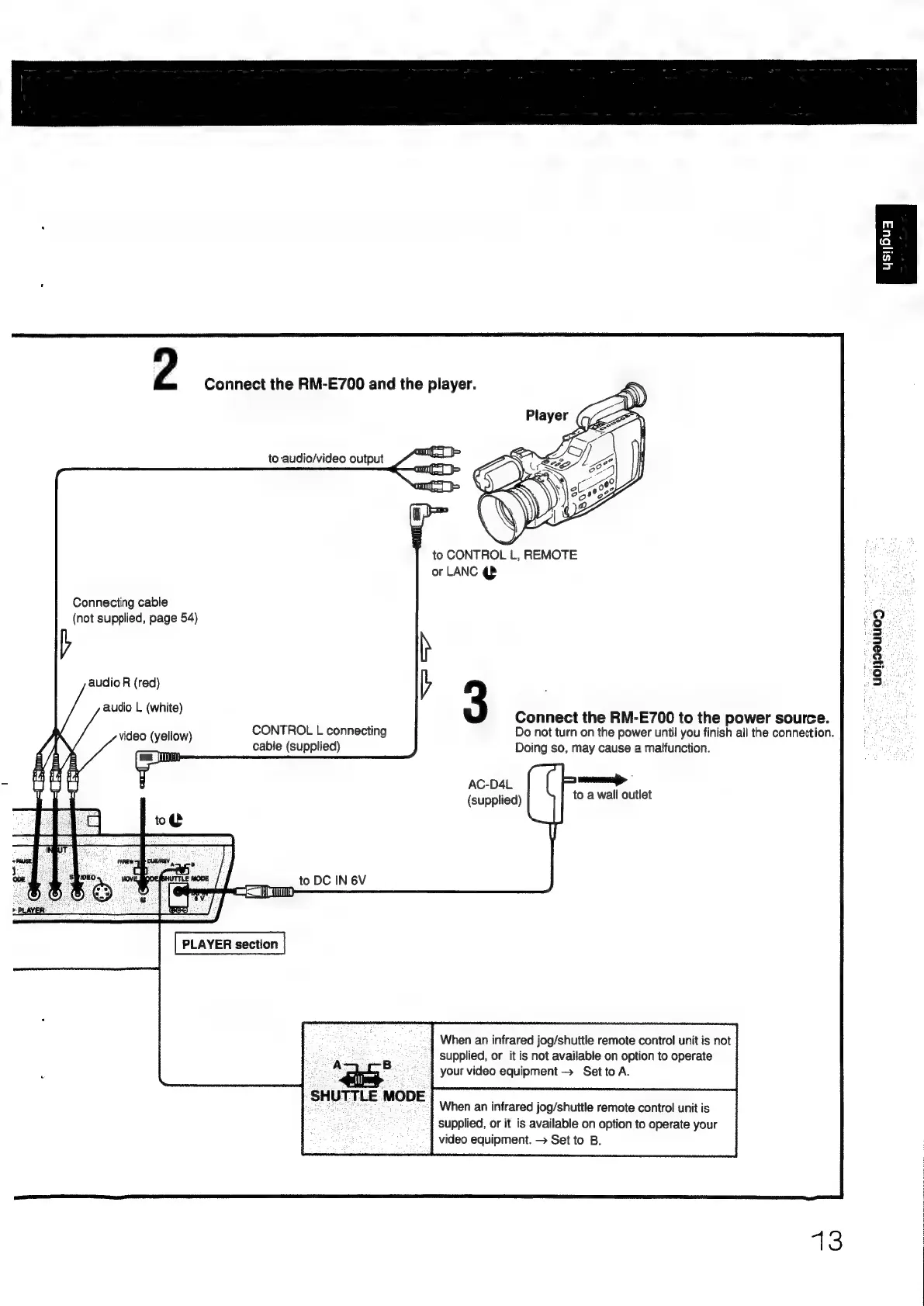
2
Connect
the
RM-E700
and
the
player.
to
audio/video
output
ome
am
om
to
CONTROL
L,
REMOTE
or
LANC
qB
Connecting
cable
(not
supplied,
page
54)
b
h
3
Connect
the
RM-E700
to
the
power
source.
Do
not
turn
on
the
power
until
you
finish
all
the
connection.
Doing
so,
may
cause
a
malfunction.
-yougeuuog
audio
R
(red)
audio
L
(white)
CONTROL
L
connecting
id
Hl
meso
yelow)
cable
(supplied)
AC-D4L
to
a
wall
outlet
(supplied)
CIN
6V
PLAYER
section
When
an
infrared
jog/shuttle
remote
control
unit
is
not
supplied,
or
it
is
not
available
on
option
to
operate
UA
B
your
video
equipment
>
SettoA.
SHUTTLE
MODE
When
an
infrared
jog/shuttle
remote
contro!
unit
is
supplied,
or
it
is
available
on
option
to
operate
your
video
equipment.
Set
to
B.
13

Other manuals for Sony RM-E700

Related product manuals