EasyManua.ls Logo

Sony RM-E700 - Page 18

Sony RM-E700
58 pages
Print Icon
To Next Page IconTo Next Page
To Previous Page IconTo Previous Page
Loading...
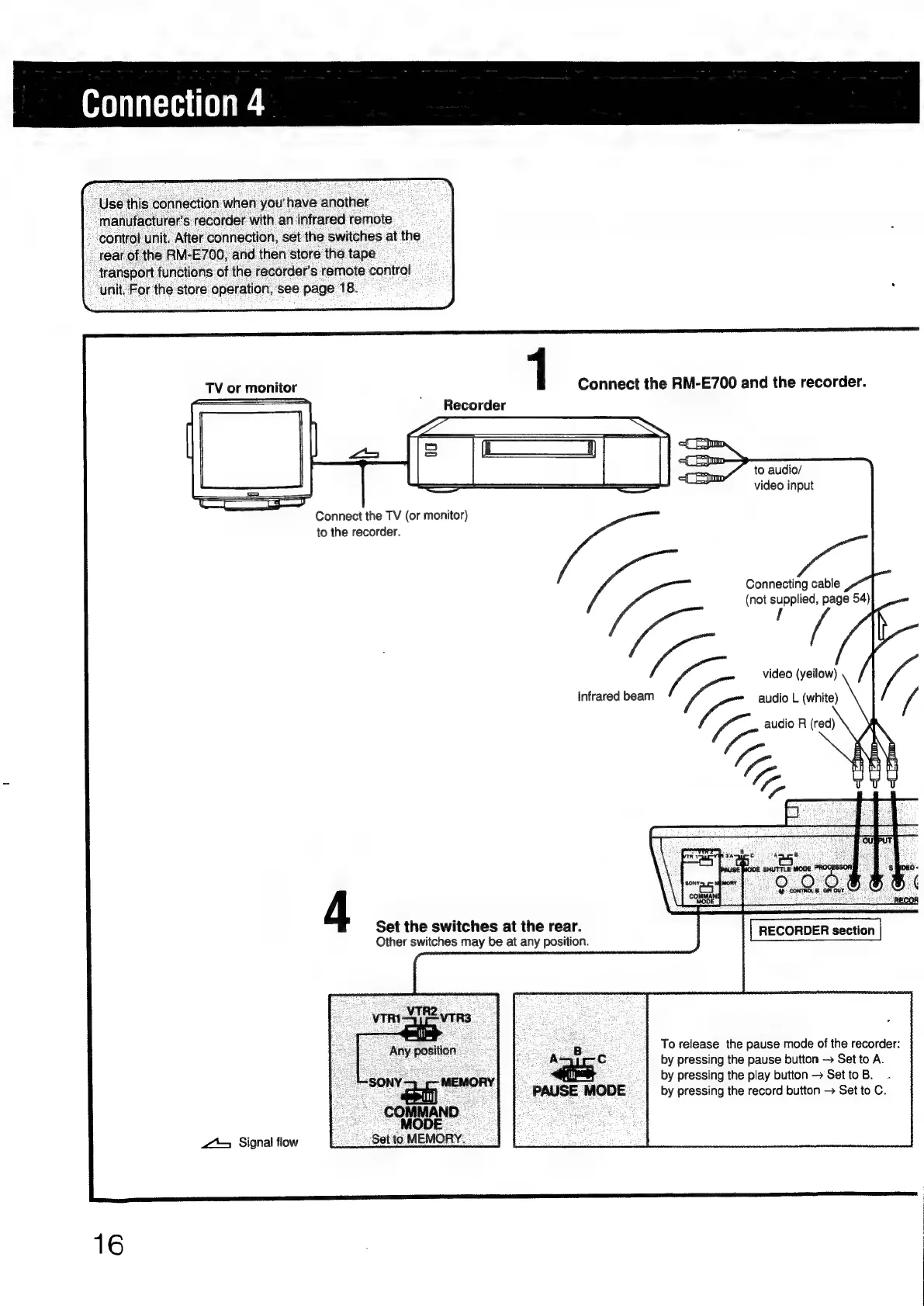
Connection
4
“Use
this
connection
when
you'have
another
manufacturer's
recorder
with
an
infrared
remote
control
unit.
After
connection,
set
the
switches
at
the
_
rear
of
the
RM-E700,
and
then
store
the
tape
"transport
functions
of
the
recorder’s
remote
control
unit.
For
the
store
operation,
see
page
18.
TV
or
monitor
1
Connect
the
RM-E700
and
the
recorder.
Se
Recorder
of
[ym
x
Fem
-
to
audio/
video
input
Connect
the
TV
(or
monitor)
to
the
recorder.
ie
video
(yellow)
infrared
beam
ig
audio
L
(white)
foe
audio
R
(red)
fre
EE
saat
e
dace
{J
“fel
SE
MODE
SHUTTLE
MODE
6.MDEO
er"
|
aR
SS
6
MODE
J :
oo
RECOR
4
Set
the
switches
at
the
rear.
Other
switches
may
be
at
any
position.
RECOnOED
eecton
eee
.
|
Torelease
the
pause
mode
of
the
recorder:
~AsjycC
.
{by
pressing
the
pause
button
Set
to
A.
“24
by
pressing
the
play
button
Set
to
B.
PAUSE
MODE
_|
by
pressing
the
record
button
>
Set
to
C.
——
OMAN
Set
to
MEMORY.
<>
Signal
flow
16

Other manuals for Sony RM-E700

Related product manuals