EasyManua.ls Logo

Sony RM-E700 - Page 19

Sony RM-E700
58 pages
Print Icon
To Next Page IconTo Next Page
To Previous Page IconTo Previous Page
Loading...
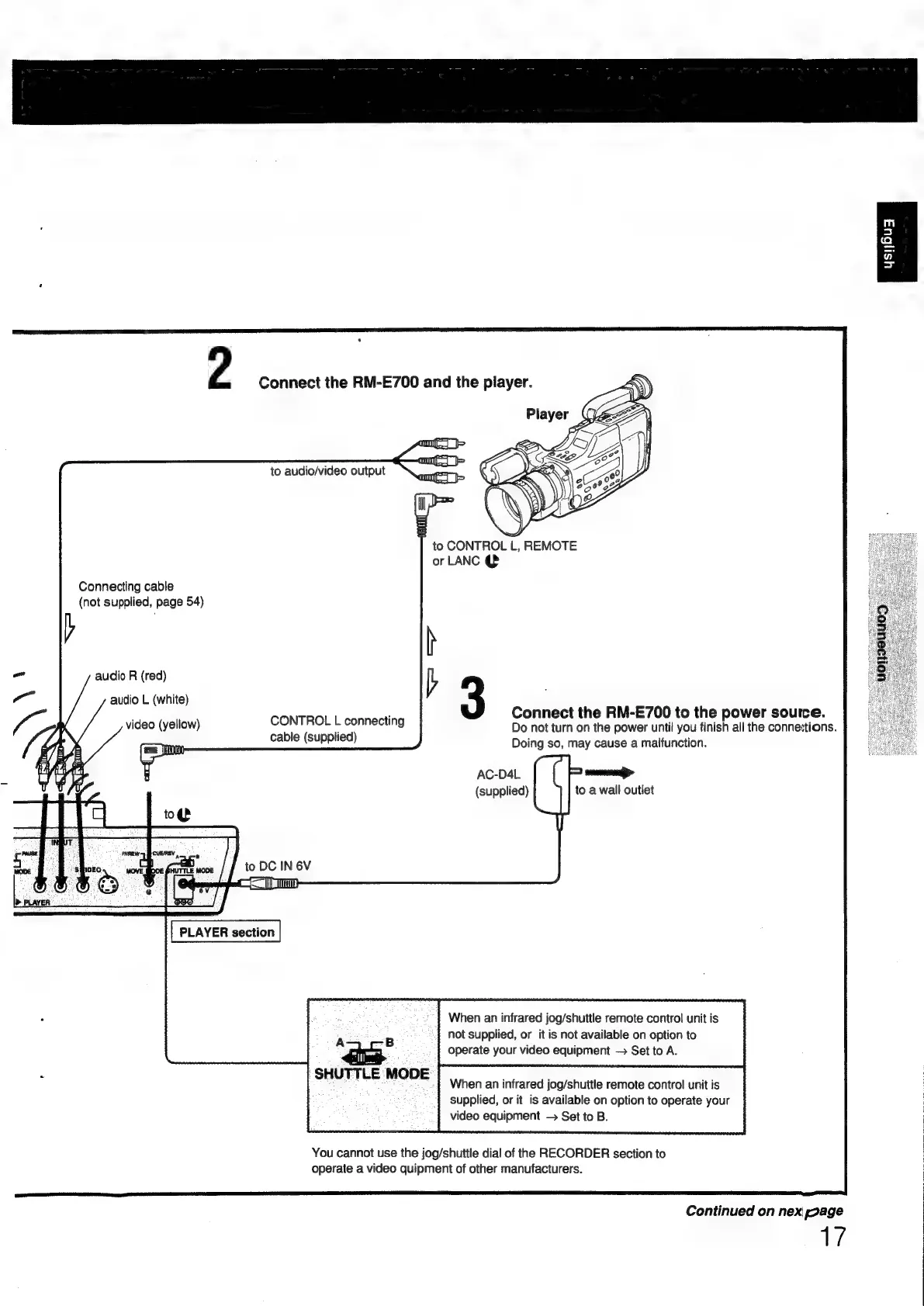
2
Connect
the
RM-E700
and
the
player.
amit
to
audio/video
output
|
to
CONTROL
L,
REMOTE
or
LANC
@
Connecting
cable
(not
supplied,
page
54)
v
b
3
Connect
the
RM-E700
to
the
power
source.
Do
not
turn
on
the
power
until
you
finish
all
the
connections.
Doing
so,
may
cause
a
malfunction.
AC-D4L
=)
mmmanane>
(supplied)
to
a
wall
outlet
|
audio
R
(red)
audio
L
(white)
video
(yellow)
CONTROL
L
connecting
cable
(supplied)
ODE.
DEO
wont
bo
(astne
Wook
to
DC
IN
6V
OR
C=
PLAYER
section
When
an
infrared
jog/shuttle
remote
control
unit
is
not
supplied,
or
it
is
not
available
on
option
to
A
Fi
operate
your
video
equipment
Set
to
A.
-
SHUTTLE
MODE
When
an
infrared
jog/shuttle
remote
control
unit
is
supplied,
or
it
is
available
on
option
to
operate
your
video
equipment
Set
to
B.
You
cannot
use
the
jog/shuttle
dial
of
the
RECORDER
section
to
operate
a
video
quipment
of
other
manufacturers.
Continued
on
nex
page
17

Other manuals for Sony RM-E700

Related product manuals