EasyManua.ls Logo

Sony RM-E700 - Page 22

Sony RM-E700
58 pages
Print Icon
To Next Page IconTo Next Page
To Previous Page IconTo Previous Page
Loading...
Step
2
Program
Editing
Before
You
Begin
What
is
Program
Editing?
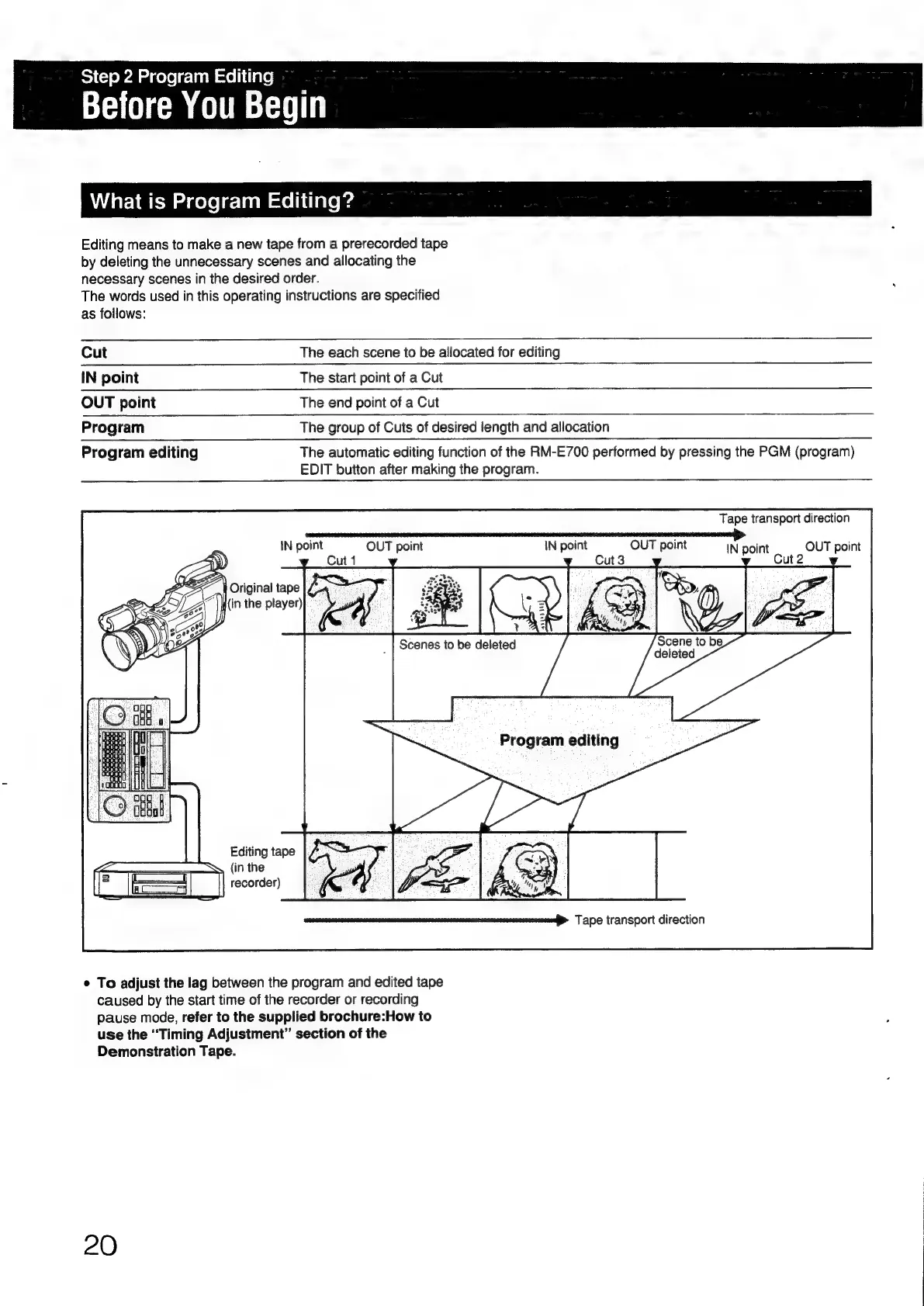
Editing
means
to
make
a
new
tape
from
a
prerecorded
tape
by
deleting
the
unnecessary
scenes
and
allocating
the
necessary
scenes
in
the
desired
order.
The
words
used
in
this
operating
instructions
are
specified
as
follows:
Cut
The
each
scene
to
be
allocated
for
editing
IN
point
The
start
point
of
a
Cut
OUT
point
The
end
point
of
a
Cut
Program
The
group
of
Cuts
of
desired
length
and
allocation
Program
editing
The
automatic
editing
function
of
the
RM-E700
performed
by
pressing
the
PGM
(program)
EDIT
button
after
making
the
program.
Tape
transport
direction
i
Oe
en~rroge
ar
CrT—err
o
iN
point
OUT
point
IN
point
OUT
point
IN
point
OUT
point
Cut
1
ut
2
f
Original
tape
K(in
the
player)
Scenes
to
be
deleted
Editing
tape
Ss
(in
the
recorder)
Tape
transport
direction
¢
To
adjust
the
lag
between
the
program
and
edited
tape
caused
by
the
start
time
of
the
recorder
or
recording
pause
mode,
refer
to
the
supplied
brochure:How
to
use
the
“Timing
Adjustment”
section
of
the
Demonstration
Tape.
20

Other manuals for Sony RM-E700

Related product manuals