EasyManua.ls Logo

Sony RM-E700 - Page 25

Sony RM-E700
58 pages
Print Icon
To Next Page IconTo Next Page
To Previous Page IconTo Previous Page
Loading...
e}t-lr-lilelawa
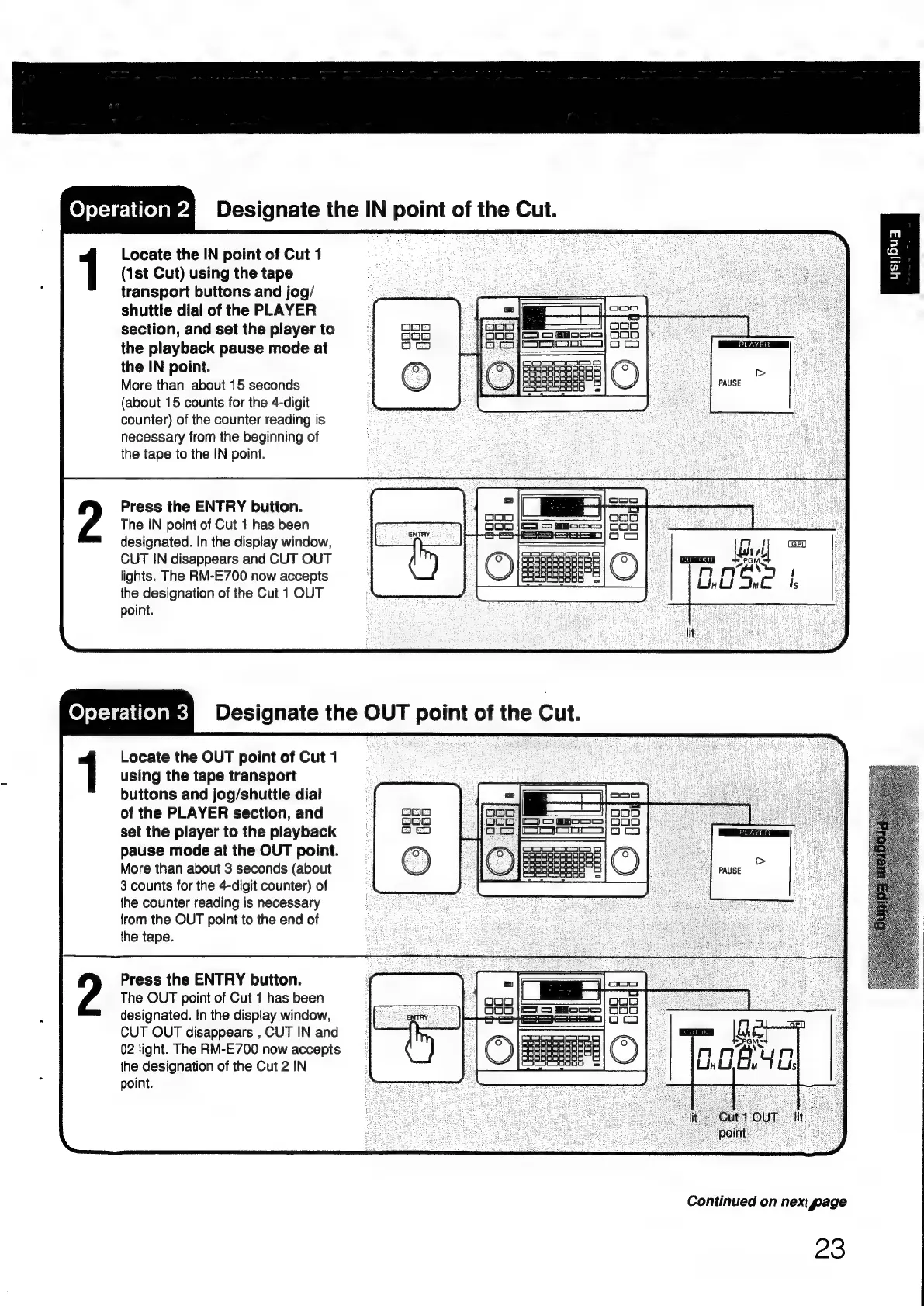
Designate
the
IN
point
of
the
Cut.
Locate
the
IN
point
of
Cut
1
(1st
Cut)
using
the
tape
transport
buttons
and
jog/
shuttle
dial
of
the
PLAYER
L
[oe
|
section,
and
set
the
player
to
b=
_—
GOR
pee
ee
the
playback
pause
mode
at
em
bere
——
rir
2
the
IN
point.
More
than
about
15
seconds
(about
15
counts
for
the
4-digit
counter)
of
the
counter
reading
is
necessary
from
the
beginning
of
the
tape
to
the
IN
point.
Press
the
ENTRY
button.
The
IN
point
of
Cut
1
has
been
designated.
In
the
display
window,
CUT
IN
disappears
and
CUT
OUT
lights.
The
RM-E700
now
accepts
the
designation
of
the
Cut
1
OUT
point.
Locate
the
OUT
point
of
Cut
1
using
the
tape
transport
buttons
and
jog/shuttile
dial
of
the
PLAYER
section,
and
set
the
player
to
the
playback
pause
mode
at
the
OUT
point.
More
than
about
3
seconds
(about
3
counts
for
the
4-digit
counter)
of
the
counter
reading
is
necessary
from
the
OUT
point
to
the
end
of
the
tape.
Press
the
ENTRY
button.
The
OUT
point
of
Cut
1
has
been
designated.
In
the
dispiay
window,
CUT
OUT
disappears
,
CUT
IN
and
02
light.
The
RM-E700
now
accepts
the
designation
of
the
Cut
2
IN
point.
Continued
on
nex
page
23

Other manuals for Sony RM-E700

Related product manuals