EasyManua.ls Logo

Sony RM-E700 - Page 26

Sony RM-E700
58 pages
Print Icon
To Next Page IconTo Next Page
To Previous Page IconTo Previous Page
Loading...
Program
Editing—To
Edit
Scenes
in
Succession
|
Operation
4
“i
Repeat
Operations
2
and
3
to
designate
the
other
Cuts.
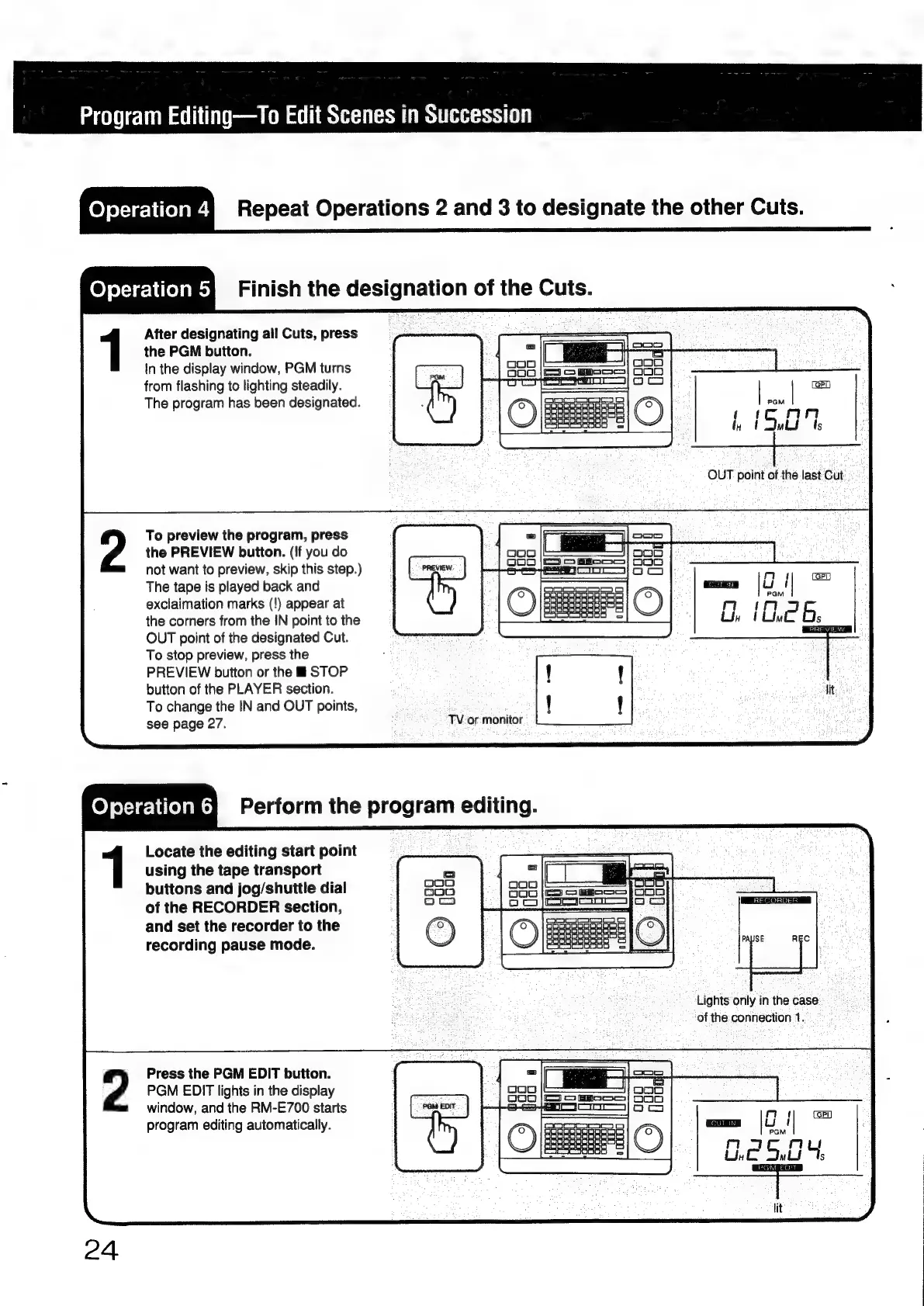
feyeyre-liielaees
Finish
the
designation
of
the
Cuts.
2
After
designating
ail
Cuts,
press
the
PGM
button.
In
the
display
window,
PGM
turns
from
flashing
to
lighting
steadily.
The
program
has
been
designated.
To
preview
the
program,
press
the
PREVIEW
button.
(!f
you
do
not
want
to
preview,
skip
this
step.)
The
tape
is
played
back
and
exclaimation
marks
(!)
appear
at
the
corners
from
the
IN
point
to
the
OUT
point
of
the
designated
Cut.
To
stop
preview,
press
the
PREVIEW
button
or
the
i
STOP
button
of
the
PLAYER
section.
To
change
the
IN
and
OUT
points,
see
page
27.
Locate
the
editing
start
point
using
the
tape
transport
buttons
and
jog/shuitle
dial
of
the
RECORDER
section,
and
set
the
recorder
to
the
recording
pause
mode.
Press
the
PGM
EDIT
button.
PGM
EDIT
lights
in
the
display
window,
and
the
RM-E700
starts
program
editing
automatically.
(GET
[ae
|e
|e)
Pom
Eo
15,07,
TV.
or
monitor
Lights
only
in
the
case
of
the
connection
1.

Other manuals for Sony RM-E700

Related product manuals