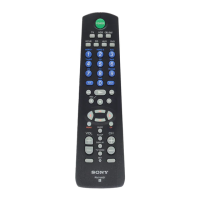
Quick Setup Guide
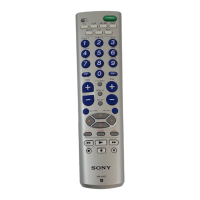
This guide shows you how to set the RM-
VLZ620 to operate your device. For details
on settings, read the reference page.
Setting the manufacturer’s code (page 13)
1
Press SET for
over 3 sec.
(e.g., TV)
2
(e.g., 01454)
Searching for the manufacturer’s code (page 15)
1
Turn on your device.
2
Aim the RM-VLZ620
at the device.
3
Press SET for
over 3 sec.
(e.g., TV)
4
5
Press and hold to start
searching.
6
When the device turns off,
release the button.
7
Automatic power-on control (page 11) (Sony devices only)
[To clear] [To set]
1
Press SET for
over 3 sec.
2
3
(e.g., TV)
Perform the same
procedure.
Changing the volume control setting (page 18)
[To set the volume controls to AMP]
1
Press SET for
over 3 sec.
(e.g., DVD)
2
3
Teaching the new functions (page 20)
1
Place the RM-VLZ620
head to head with your
device’s remote control.
2
Press SET for
over 3 sec.
3
4
Press the Device
Select button for the
device you want to
control (e.g., DVD)
5
Press the button on the
RM-VLZ620 you want
to teach (e.g., ).
6
Press the button on
the other remote
control.
7
Repeat Steps 4 to 6 to
teach other functions.
8
[To teach to a SYSTEM CONTROL or Device Select button] (page 24)
In Step 4 above, press the SYSTEM CONTROL button, or press the Device Select button for over 3 sec., then
skip Step 5.
Symbol convention
: Press the buttons at the same time.
: Press the buttons in turn.
48
RM-VLZ620_U (US) 4-170-639-12(1)


 To Next Page