1
2
3
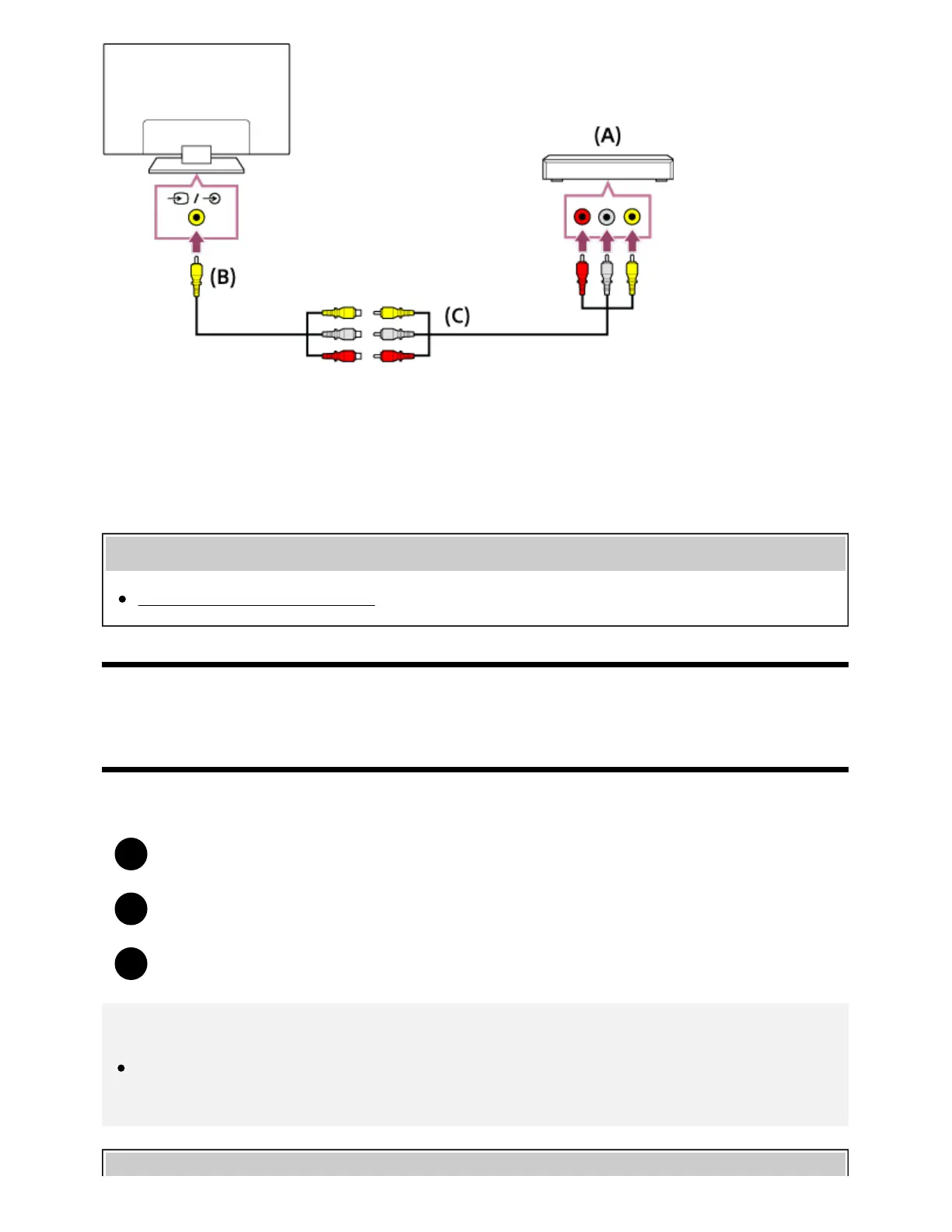
(A) Blu-ray/DVD player
(B) Analog Extension cable (supplied)
(C) RCA Cable (not supplied)
Whether the Analog Extension cable is supplied depends on your model/region/country.
Related topics
Watching Blu-ray and DVD discs
[41] Using the TV with Other Devices | Blu-ray and DVD players
Watching Blu-ray and DVD discs
You can watch content from Blu-ray/DVD discs or other content supported by your player on the TV.
Turn on the connected Blu-ray/DVD player.
Press the INPUT button repeatedly to select the connected Blu-ray/DVD player.
Start playback on the connected Blu-ray/DVD player.
Hint
If you connect a BRAVIA Sync-compatible device with HDMI connection, you can operate it by
simply using the TV’s remote control.
*
*









 To Next Page