1
2
3
network (network administrator).
[69] Connecting to a Network
Connecting to a network using a wireless
connection
Using Wi-Fi to connect the TV to your network
Using Wi-Fi Direct to connect to the TV (no wireless router required)
[70] Connecting to a Network | Connecting to a network using a wireless connection
Using Wi-Fi to connect the TV to your network
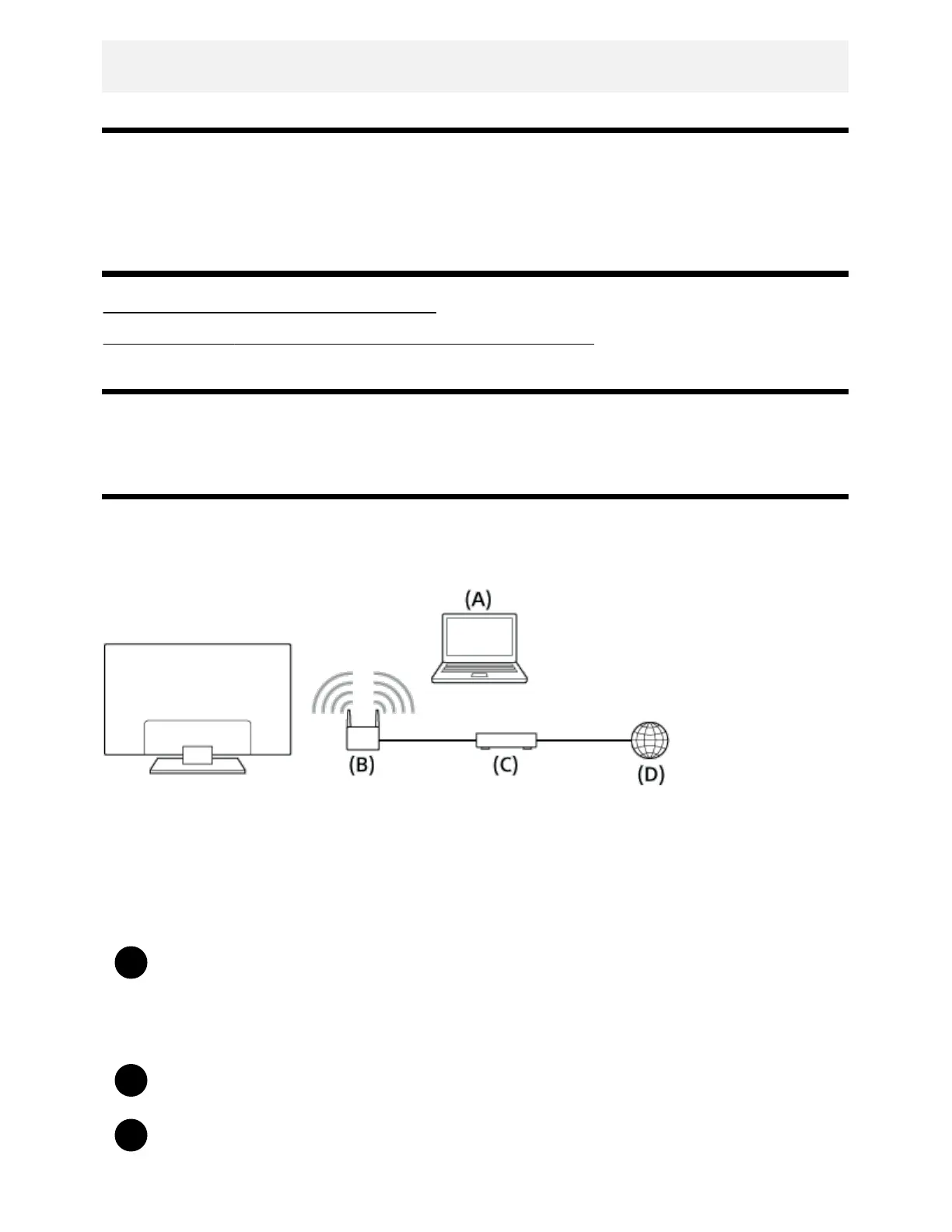
The built-in wireless LAN device allows you to access the Internet and enjoy the benefits of networking
in a cable-free environment.
(A) Computer
(B) Wireless router (access point)
(C) Modem
(D) Internet
Set up your wireless router (or access point).
For details, refer to the instruction manual of your wireless router (or access point), or
contact the person who set up the network (network administrator).
Press the HOME button, then select [Settings] — [Network] — [Network setup] — [Easy].
Follow the on-screen instructions to complete the set-up.



 To Next Page