HT-CT290/CT291
20
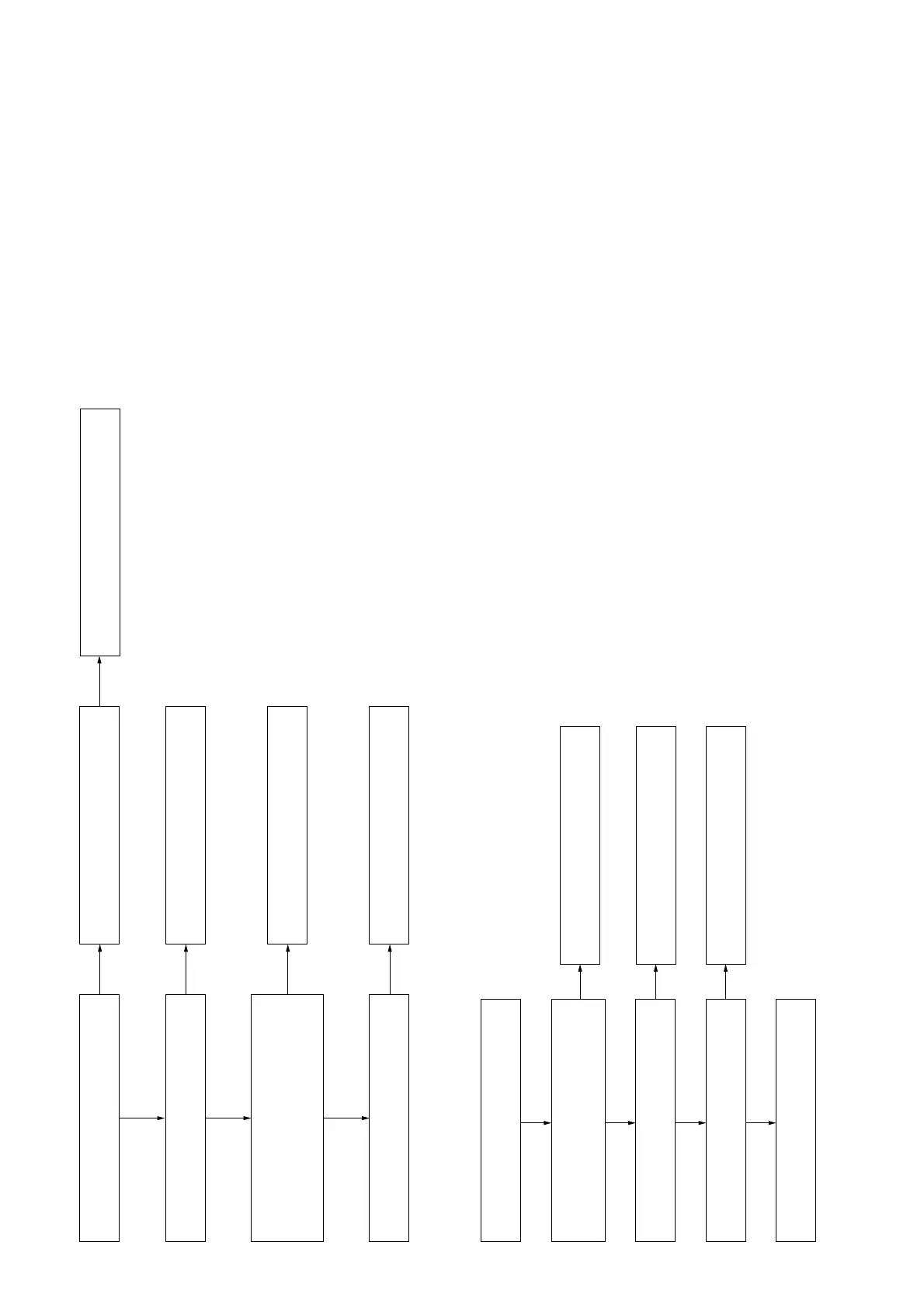
3. The sound is not outputted
Yes
No
Yes
Yes
Replace MAIN board IC1000.
Check that the signal is outputted from
MAIN board IC1000 pin 40, 41, 48 and 49.
Replace complete MAIN board.
Check that the signal is inputted to MAIN
board IC1000 pin 24.
Check that the signal is outputted from
MAIN board IC1001 :
pin 27, 28 and 32 (Front Right Speaker)
pin 35, 39 and 40 (Front Left Speaker)
No
Replace MAIN board IC1001.
No
Replace the speakers.
No
Reprogram MAIN board and check
the signal again.
No
Check the speakers' resistance are not
VKRUWȍRURSHQ
(
).
4. Power is not turned on
Power is not turned on.
Check MAIN board CN2006 pin 6 is 5.1V.
The voltage of the following is 18V/24V.
SWITCHING REGULATOR:
CN101 pin 1 to 3 and 7.
Yes
Yes
Replace complete MAIN board.
Yes
Check MAIN Board IC3209 pin 1 is 1.2V. Replace IC3209 on MAIN Board.
No
Yes
No
Replace the SWITCHING REGULATOR.
Replace FB2005 on MAIN board.
No



 To Next Page