Need help?
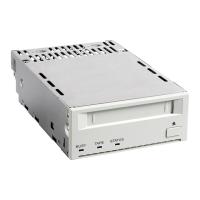
Do you have a question about the Sony SDT 11000 - DDS Tape Drive and is the answer not in the manual?
Detailed list of the drive's technical capabilities, including capacity, speed, formats, and interfaces.
Guidelines for safe and proper placement of the drive to prevent damage.
Important warnings regarding drive movement, temperature changes, and power cycling during operation.
Instructions for safely packing and shipping the drive.
Requirements for proper termination of the SCSI bus according to PC97 Hardware Design Guide.
Setting up the SCSI ID, option switches, and understanding connector pinouts.
Configuration options via DIP switches for terminator power and DC control.
Specifications for mounting the 3.5" standard height drive unit.
Specifications for mounting the 5.25" half-height drive unit.
Step-by-step guide to convert a 5.25" model to a 3.5" model.
Acceptable angles for drive installation to ensure proper operation.
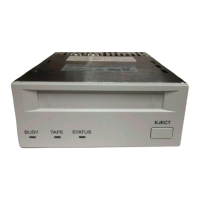
Identification of the front panel LEDs (BUSY, TAPE, STATUS) and EJECT button.
Table detailing LED patterns and their corresponding drive states and activities.
Procedures for inserting, removing, and automatically loading/unloading tape cartridges.
How to use the cassette's write-protect tab to prevent data overwriting.
Guidance on using a cleaning tape for head maintenance and cleaning cycle requests.
Manual procedure to remove a stuck tape cartridge from the drive.
List of SCSI messages supported by the drive for communication.
List of SCSI commands the drive can process for various operations.
Technical details including dimensions, altitude, vibration, acoustic noise, and shock resistance.
Environmental and electrical specifications: temperature, humidity, power requirements, and ESD.
Contact information for companies providing SCSI host adapters compatible with the drive.
Contact information for software vendors offering backup solutions for the drive.
Contact details for Sony's technical support in the United States.
Contact information for Sony support offices in various international locations.
 General
| Type | DDS Tape Drive |
|---|---|
| Model | SDT 11000 |
| Interface | SCSI |
| Recording Format | DDS-2 |
| Drive Type | Internal |
| Tape Type | DDS-2 |
| Form Factor | 5.25-inch half-height |

 To Next Page