EasyManua.ls Logo

Sony Memory Stick - User Manual

Sony Memory Stick
24 pages
Print Icon
To Next Page IconTo Next Page
Loading...
© 2001 Sony Corporation
Memory Stick
Autorun Version 1.3
Operating Instructions
A-APB-130-11(1)

Questions and Answers

  • J
    Jacob ReyesAug 18, 2025
    How to turn off the sound on Sony Memory Stick?
    • C
      Christine GillAug 18, 2025
      To mute the sound on your Sony Storage device, access the System Sound drop-down list within preferences and change the setting to 'Off'. This will disable all sound output.
  • M
    Michael PriceAug 20, 2025
    What to do if application files are not deleted from Sony Storage after removing Memory Stick?
    • J
      Jessica MyersAug 20, 2025
      If the application or database files on your Sony Storage are not deleted after removing the Memory Stick, it might be because the system didn't detect the removal due to an application like a game or image viewer running. To resolve this, tap 'Tools' in the Option menu, then tap 'Recover' to manually delete the data.
  • G
    Gregory RochaAug 22, 2025
    Why doesn't my Sony Memory Stick application start automatically?
    • I
      Isaac PenningtonAug 22, 2025
      If a Sony Storage application doesn't start automatically even with the Memory Stick inserted, it could be because MS Gate or MS Autorun isn't running correctly. Check the history log for any problems with these applications.
  • M
    makaylakerrAug 26, 2025
    What to do if Sony Storage database files remain after removing Memory Stick?
    • J
      Jennifer ManningAug 26, 2025
      If your Sony CLIE handheld continues to display database files even after you remove the Memory Stick media, it may be because data changed after the application started, preventing deletion. To fix this, go to the Home screen and then remove the Memory Stick media.
  • J
    Jennifer EvansAug 27, 2025
    Why does Sony Memory Stick Storage show a low memory error?
    • G
      gjohnsonAug 28, 2025
      If you see an error message indicating low CLIE internal memory while using your Sony Storage, it means that MS Autorun requires more than 50KB of free memory to run. Additionally, starting an application automatically with MS Autorun requires free space equivalent to the application's data size.
  • E
    edavisAug 30, 2025
    Why are the buttons not displayed in the Tools dialog box on my Sony Storage?
    • M
      michaelrobinsonAug 30, 2025
      If you encounter a situation where buttons are not displayed in the Tools dialog box within the Options menu of your Sony Storage, it's because the 'Recover' and 'Delete autorun setting' buttons only appear when those functions are available. 'Recover' displays when auto-run is performed and MS Autorun is started without removing the Memory Stick media. 'Delete autorun setting' displays when an auto-run setting file is stored in the inserted Memory Stick media.
  • R
    Rebecca JenningsSep 1, 2025
    What to do if Sony Storage auto-run setting file is invalid?
    • L
      lori31Sep 2, 2025
      If your Sony Storage auto-run setting file is invalid, it may be because the file was created in a different version of MS Autorun or has become corrupted. Recreate the settings using MS Autorun.
  • H
    hmeltonSep 4, 2025
    What to do if Sony Storage Memory Stick media is not working properly?
    • N
      Nicole HoldenSep 4, 2025
      If your Sony Storage Memory Stick media is not working properly, it may be damaged and should be discarded. Always use undamaged Memory Stick media.
  • D
    denise10Sep 6, 2025
    What to do if the specified application or database file is not stored in the Sony Storage Memory Stick media?
    • C
      cory59Sep 7, 2025
      If the specified application or database file is not stored in the Memory Stick media on your Sony Storage, copy the required application and database files to the Memory Stick media.
  • M
    Mrs. Rebecca MoranSep 9, 2025
    What to do if an application that automatically changes the image is running on Sony Memory Stick Storage?
    • L
      Lisa RossSep 9, 2025
      If you are using an application that automatically changes the image, such as a game or image viewer, opening the Home screen, then reinsert the Memory Stick media of your Sony Storage.

Summary

Before Use

Features

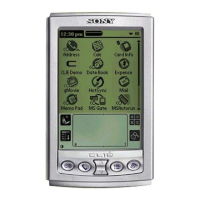
Explains Memory Stick Autorun (MS Autorun) as an add-on for CLIE handhelds.

System Requirements

Lists the devices and applications required for using MS Autorun.

Operation

Starting Memory Stick (MS) Autorun

Details how to launch the MS Autorun application on the CLIE handheld.

Setting Auto-run for an Application

Step-by-step guide to configure an application for automatic startup upon media insertion.

Auto-run for the application in the Memory Stick media

Instructions for setting up applications stored on Memory Stick media for auto-run.

Auto-run for application or associated data files in the Memory Stick media

How to set auto-run for applications bundled with their data files.

Changing the Auto-run Settings

Procedures for modifying existing auto-run settings, including adding or canceling.

Specify the data file in Memory Stick media to start applications in the CLIE handheld automatically

How to link specific data files to applications for automatic startup on the CLIE.

Performing an Auto-run Function

Explains the process of executing the auto-run function after configuration.

Viewing the MS Autorun History Log

How to access and review the log of auto-run events and failures.

Changing Settings

Canceling the Auto-run Function Temporarily

Instructions for temporarily disabling the auto-run feature.

Deleting the Auto-run Setting

Steps to permanently remove an auto-run configuration from the Memory Stick media.

Supplemental Information

Menu Commands

Details the menu options available within the MS Autorun application interface.

Troubleshooting

Sony Memory Stick Specifications

General IconGeneral
Form FactorProprietary
TypeFlash memory card
Introduced1998
InterfaceSerial
Weight4 g
Operating Temperature0°C to +60°C

Videos

HOW TO Transfer Old SONY MEMORY STICK Pictures To A PC

Related product manuals