EasyManua.ls Logo

Sony Memory Stick - User Manual

Sony Memory Stick
24 pages
Print Icon
To Next Page IconTo Next Page
Loading...
© 2001 Sony Corporation
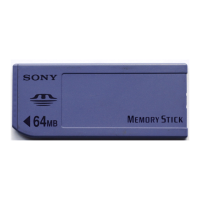
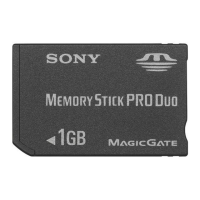
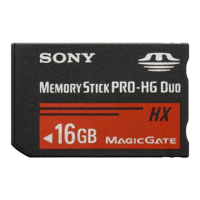
Memory Stick
Autorun Version 1.3
Operating Instructions
A-APB-130-11(1)

Questions and Answers

  • A
    Allison JosephSep 12, 2025
    Why I do not hear an event sound when I perform various auto-run operations on my Sony Memory Stick?
    • M
      melanie19Sep 12, 2025
      If you do not hear an event sound during various auto-run operations on your Sony Storage, but you do hear it when inserting or removing the Memory Stick media, it is because MS Autorun only makes an event sound after the auto-run operations have been successfully performed when removing the Memory Stick media.
  • A
    alyssamillsSep 14, 2025
    Why does Sony Storage return to the Home screen when formatting Memory Stick media?
    • R
      Richard PenaSep 14, 2025
      When you format the Memory Stick media with an auto-run setting through the MS Gate application, the display automatically returns to the Home screen display because MS Autorun deletes the data copied by the auto-run function when removing the Memory Stick media. This may occur when you insert the Memory Stick media to start an application automatically, start MS Gate without removing the Memory Stick media and format the Memory Stick media. When your unit registers that the Memory Stick media is removed and that formatting is completed, the Home screen is displayed and the auto-run data is deleted from your CLIE handheld.

Summary

Before Use

Features

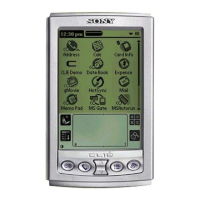
Explains Memory Stick Autorun (MS Autorun) as an add-on for CLIE handhelds.

System Requirements

Lists the devices and applications required for using MS Autorun.

Operation

Starting Memory Stick (MS) Autorun

Details how to launch the MS Autorun application on the CLIE handheld.

Setting Auto-run for an Application

Step-by-step guide to configure an application for automatic startup upon media insertion.

Auto-run for the application in the Memory Stick media

Instructions for setting up applications stored on Memory Stick media for auto-run.

Auto-run for application or associated data files in the Memory Stick media

How to set auto-run for applications bundled with their data files.

Changing the Auto-run Settings

Procedures for modifying existing auto-run settings, including adding or canceling.

Specify the data file in Memory Stick media to start applications in the CLIE handheld automatically

How to link specific data files to applications for automatic startup on the CLIE.

Performing an Auto-run Function

Explains the process of executing the auto-run function after configuration.

Viewing the MS Autorun History Log

How to access and review the log of auto-run events and failures.

Changing Settings

Canceling the Auto-run Function Temporarily

Instructions for temporarily disabling the auto-run feature.

Deleting the Auto-run Setting

Steps to permanently remove an auto-run configuration from the Memory Stick media.

Supplemental Information

Menu Commands

Details the menu options available within the MS Autorun application interface.

Troubleshooting

Sony Memory Stick Specifications

General IconGeneral
Form FactorProprietary
TypeFlash memory card
Introduced1998
InterfaceSerial
Weight4 g
Operating Temperature0°C to +60°C

Videos

HOW TO Transfer Old SONY MEMORY STICK Pictures To A PC

Related product manuals