14
GB
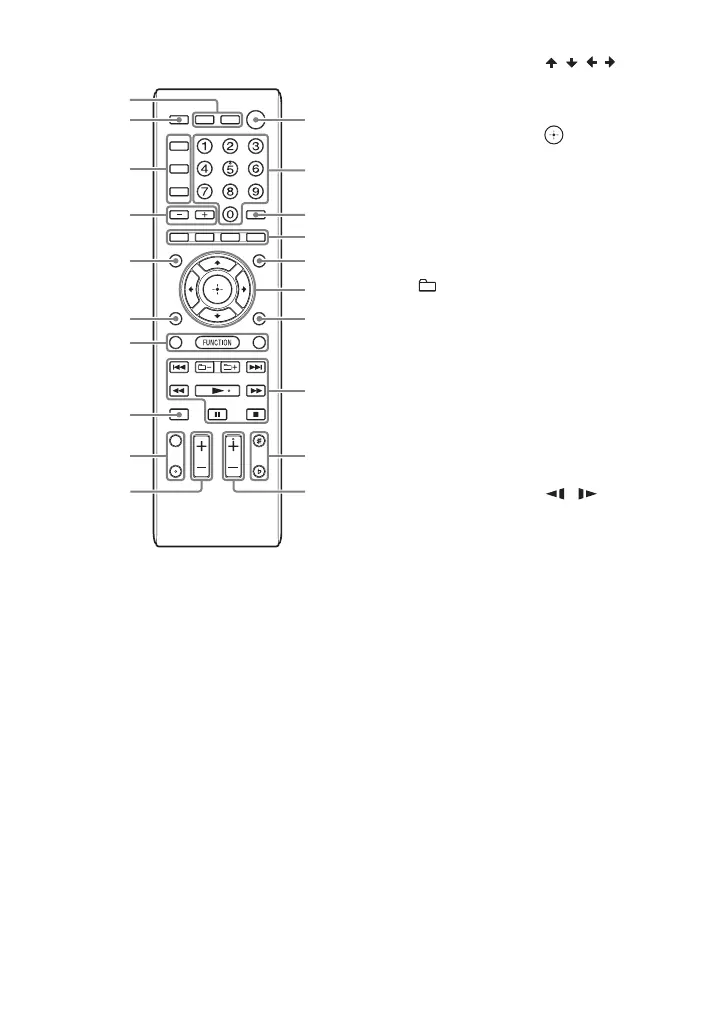
Remote control RM-AMP113
1 "/1 (on/standby)
Turn on the system, or set it to
standby mode.
B MUSIC, MOVIE/GAME
Select the preset sound effect
(page 44).
FOOTBALL
Select the Virtual Football mode
(page 44).
Unit: BASS BAZUCA (page 44)
Press to select the BASS BAZUCA
effect.
Hold down to select the BASS CUT
effect.
Unit: PARTY CHAIN (page 46)
Hold down to activate or deactivate
the Party Chain function.
C Remote control: / / /
Select the menu items.
Unit: ENTER
Remote control:
Enter the settings.
./> (go back/go forward)
Select a track or file.
TUNING+/–
Tune to the station you want.
+/– (select folder)
Select a folder on a data disc or a
USB device.
PRESET+/–
Select a preset station.
Remote control: m/M
(rewind/fast forward)
Find a point in a track or file during
playback.
Remote control: /
Watch the Slow-motion Play.
N
1)
(play)
Start playback.
X (pause)
Pause playback.
To resume playback, press N.
x (stop)
Stop playback.
Press twice to cancel resume
playback.
D Unit: VOLUME/DJ CONTROL
Adjust the volume.
Adjust the DJ EFFECT level
(page 45).
You cannot use this knob to adjust
the volume when the DJ EFFECT is
activated.
1
ql
8
wa
3
w;
qh
3
ws
4
wj
wk
2
4
8
wg
wf
wd
wh
9



 To Next Page