32
GB
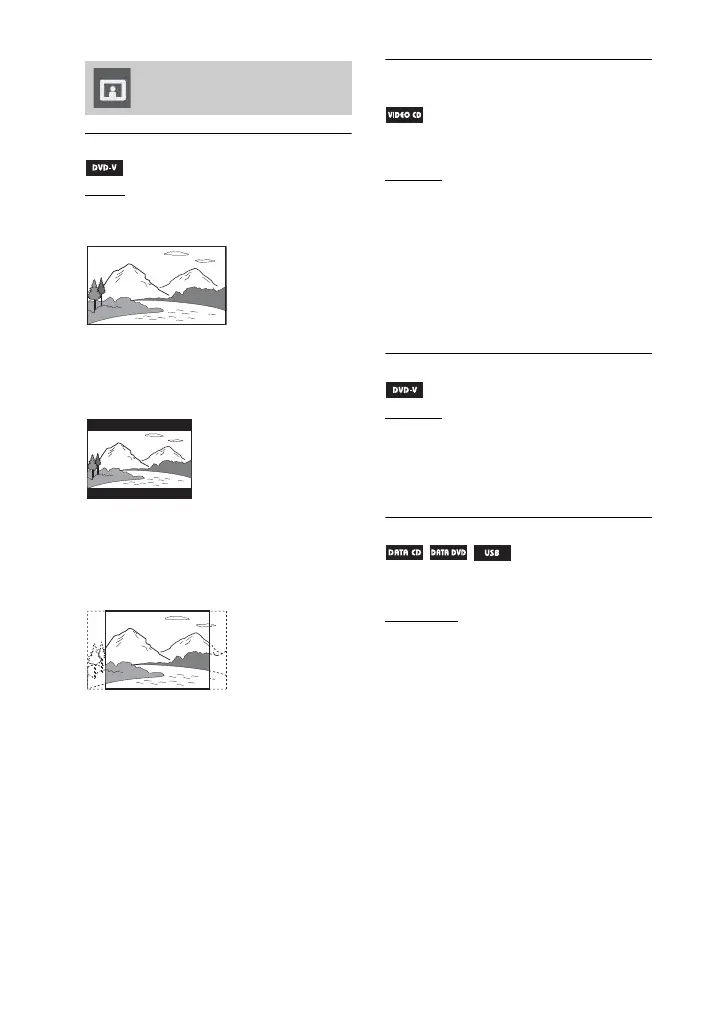
[TV TYPE]
[16:9]: Select this when you connect a
wide-screen TV or a TV with a wide mode
function.
[4:3 LETTER BOX]: Select this when
you connect a 4:3 screen TV. This setting
displays a wide picture with bands on the
upper and lower portions of the screen.
[4:3 PAN SCAN]: Select this when you
connect a 4:3 screen TV. This setting
displays the wide picture on the entire
screen and cuts off the portions that do not
fit.
[COLOR SYSTEM(VIDEO CD)]
(Except for Russian model)
Select the color system when you play
back a VIDEO CD.
[AUTO]
: Output the video signal
according to the color system of the disc,
either PAL or NTSC. Select this setting, if
your TV uses a DUAL system.
[PAL]: Change the video signal of an
NTSC disc and output it in PAL system.
[NTSC]: Change the video signal of a
PAL disc and output it in NTSC system.
For details, see “Changing the color
system” (page 21).
[PAUSE MODE]
[AUTO]: The picture, including subjects
that move dynamically, is output with no
jitter. Normally select this position.
[FRAME]: The picture, including
subjects that do not move dynamically, is
output in high resolution.
[PHOTO EFFECT]
(JPEG image files only)
Select an effect for the slide show.
[
MODE 1]: The image sweeps in from
top to bottom.
[MODE 2]: The image sweeps in from
left to right.
[MODE 3]: The image stretches out from
the center.
[MODE 4]: The image randomly cycles
through the effects.
[MODE 5]: The next image slides over
the current image.
[OFF]: Turns off the effects.
Setting the TV screen –
[VIDEO SETUP]



 To Next Page