EasyManua.ls Logo

Sony SL-HF400 - Cases Acctnmansusseideeuteiaceceatieeete Cvs

Sony SL-HF400
30 pages
Print Icon
To Next Page IconTo Next Page
To Previous Page IconTo Previous Page
Loading...
PRECAUTIONS
@
Before
operating,
check
that
the
operating
power
voltage
and
frequency
of
the
unit
are
Identical
with
those
of
your
local
power
supply.
®
Should
any
solid
object
or
liquid
fall
into
the
cabinet,
unplug
the
unit
and
have
it
checked
by
qualified
per-
sonnel
before
operating
it
any
further.
@
One
blade
of
the
plug
is
wider
than
the
other
for
the
purpose
of
safety
and
will
fit
into
the
power
outlet
on-
ly
one
way.
If
you
are
unable
to
insert
the
plug
fully
in-
to
the
outlet,
contact
your
dealer.
@
Unplug
the
unit
from
the
wall
outlet
If it
is
not
to
be
used
for
an
extended
period
of
time.
To
disconnect
the
cord,
pull
it
out
by
the
plug.
Never
pull
the
cord
itself.
On
installation
@
Allow
adequate
air
circulation
to
prevent
Interna
heat
build-up.
@
Do
not
place
the
unit
on
surfaces
(rugs,
blankets,
etc.)
or
near
materials
(curtains,
draperies)
that
may
block
the
ventilation
slots.
®
Do
not
install
the
unit
near
heat
sources
such
as
radiators
or
air
ducts
or
in
a
place
subject
to
direct
sunlight,
excessive
dust,
mechanical
vibration
or
shock.
@
The
unit
is
designed
for
operation
in
a
horizontal
position.
Do
not
install
it
in
an
inclined
position.
®@
Keep
the
unit
and
cassette
tapes
away
from
equip-
ment
with
strong
magnets,
as
for
example
a
microwave
oven
or
a
large
loudspeaker.
@
Do
not
place
any
heavy
object
on
the
unit.
@
When
the
unit
is
not
in
use,
turn
the
power
off
to
con-
serve
energy
and
to
extend
its
useful
life.
@
Remove
and
store
video
cassettes
after
recording
or
playback.
@
Store
the
cassettes
In
their
cases
and
keep
them
In
an
upright
position
to
prevent
intrusion
of
dust
and
uneven
winding.
Clean
the
cabinet,
panel
and
controls
with
a
dry
soft
cloth,
or
a
soft
cloth
lightly
moistened
with
a
mild
detergent
solution.
Do
not
use
any
type
of
solvent,
such
as
alcohol
or
ben-
zine
which
might
damage
the
finish.
On
repacking
Do
not
throw
away
the
carton
and
packing
materials.
They
make
an
ideal
container
in
which
to
transport
the
unit.
When
shipping
the
unit
to
another
location,
repack
it
as
illustrated
on
the
carton.
WHAT
IS
BETA
HI-FI
RECORDING?
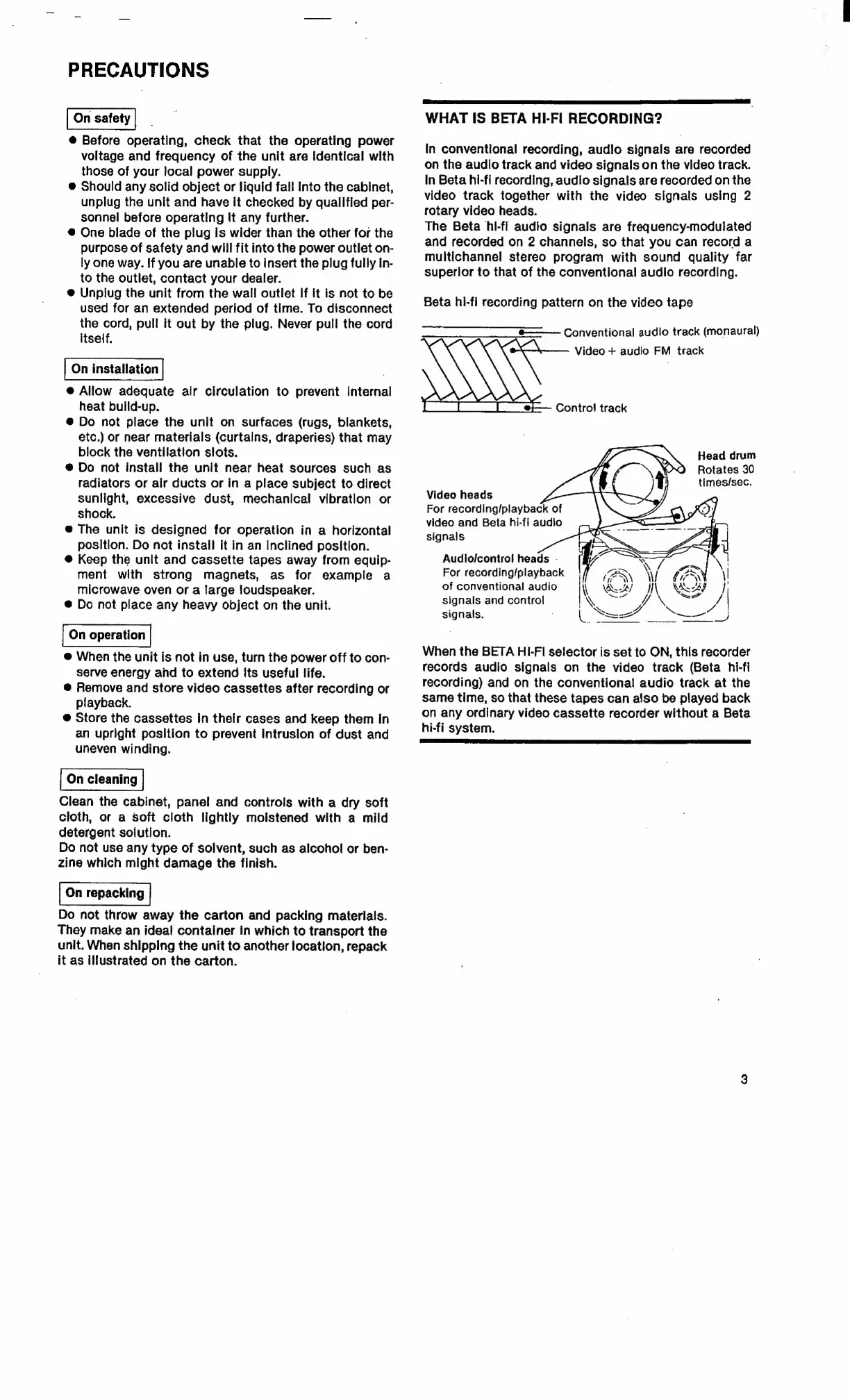
In
conventional
recording,
audio
signals
are
recorded
on
the
audio
track
and
video
signals
on
the
video
track.
In
Beta
hi-fi
recording,
audio
signals
are
recorded
on
the
video
track
together
with
the
video
signals
using
2
rotary
video
heads.
The
Beta
hi-fi
audio
signals
are
frequency-modulated
and
recorded
on
2
channels,
so
that
you
can
record
a
multichannel
stereo
program
with
sound
quality
far
superior
to
that
of
the
conventional
audio
recording.
Beta
hi-fi
recording
pattern
on
the
video
tape
$——
Conventional
audio
track
(monaural)
Video
+
audio
FM
track
Control
track
Head
drum
Rotates
30
times/sec.
Video
heads
For
recording/playback
of
video
and
Beta
hi-fi
audio
signals
Audio/control
heads
.
For
recording/playback
!
re
“Yl
of
conventional
audio
i\
Wasi
Il
Way
hi
VY
Swe
signals
and
control
NM
\
va
|
Dee
2
eee
signals.
oS
When
the
BETA
HI-FI
selector
is
set
to
ON,
this
recorder
records
audio
signals
on
the
video
track
(Beta
hi-fi
recording)
and
on
the
conventional
audio
track
at
the
same
time,
so
that
these
tapes
can
also
be
played
back
on
any
ordinary
video
cassette
recorder
without
a
Beta
hi-fi
system.
SSCL
ELS
OL
OE
rE
LATER

Related product manuals