3
GB
Picture Effect
You can shoot with an effect filter to obtain the various textures.
1 Set the mode dial to (SCN/Picture Effect).
2 Press the center of the control button.
3 Select the desired mode with v/V, then press the center of the control
button.
• To change the effect, press the Fn button, then select another effect.
• The items used for Picture Effect are indicated after the items used for Scene Selection.
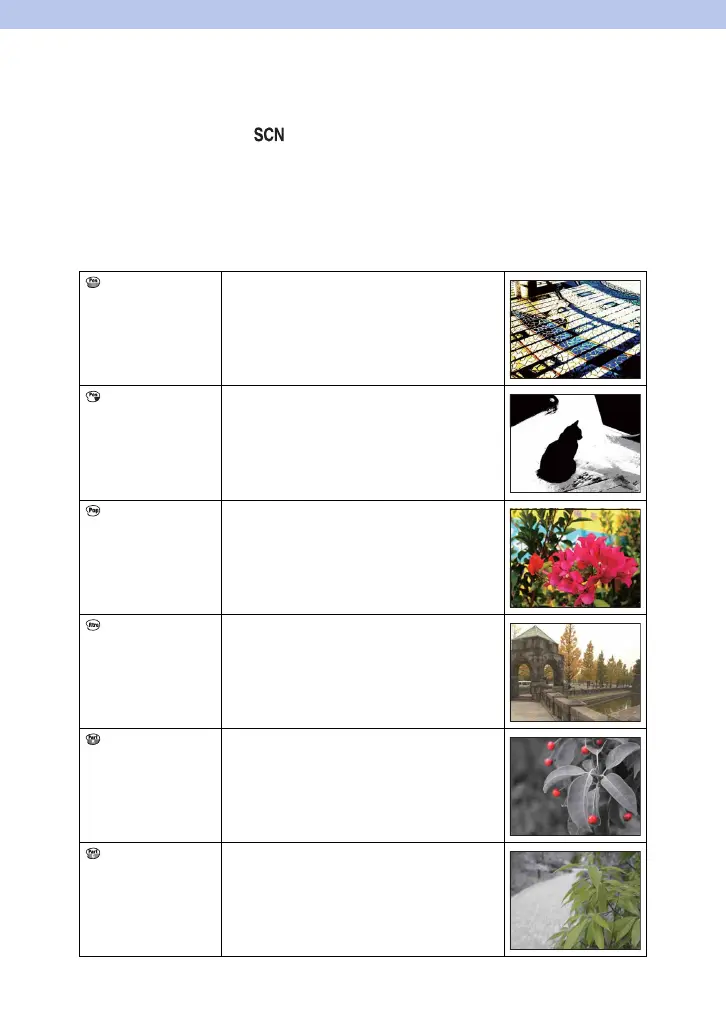
Posterization
(Color)
Creates a high contrast, abstract look by
heavily emphasizing primary colors.
Posterization
(B/W)
Creates a high contrast, abstract look in black
and white.
Pop Color Creates a vivid look by emphasizing color
tones.
Retro Photo Creates the look of an aged photo with sepia
color tones and faded contrast.
Partial Color
(Red)
Creates an image which retains the color red,
but converts others to black and white.
Partial Color
(Green)
Creates an image which retains the color
green, but converts others to black and white.
Continued r



 To Next Page
 Loading...











