EasyManua.ls Logo

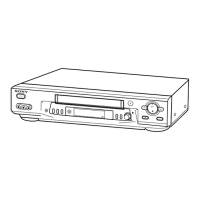
Sony SLV-ED100ME - User Manual

Sony SLV-ED100ME
88 pages
Print Icon
To Next Page IconTo Next Page
Loading...
PAL NTSC
Video Cassette
Recorder
©1999 Sony Corporation
SLV-ED100ME/MI/ML
Operating Instructions
G
3-867-110-14 (1)

Other manuals for Sony SLV-ED100ME

Questions and Answers

  • U
    udanielsAug 16, 2025
    How to fix the I/u ON/STANDBY switch on my Sony Cassette Player?
    • K
      Kimberly FloresAug 17, 2025
      To address a non-functioning I/u ON/STANDBY switch on your Sony Cassette Player, ensure the mains lead is securely connected to the mains.
  • J
    Joshua GallowayAug 19, 2025
    How to fix a Sony Cassette Player when the playback picture doesn't appear on the TV screen?
    • J
      John RamirezAug 19, 2025
      If the playback picture on your Sony Cassette Player does not appear on the TV screen, ensure the TV is set to the correct video channel or, if using a monitor, set it to video input. For aerial cable connections, verify the RF channel number is correctly set for your region. Also, adjust the tracking using the TRACKING +/– buttons and confirm that the PAL/MESECAM setting in the SET UP MENU matches your local color system and the recording format of the tape. If the issue persists, the video heads may be dirty. Clean them using a Sony T-25CLD, E-25CLDR, or T-25CLW video head cleaning cassette. If a message about dirty video heads appears, follow the on-screen instructions. In some cases, the video heads may need replacement by a Sony service facility.
  • R
    Robert GarciaAug 22, 2025
    What to do if no TV programs appear on the TV screen with my Sony Cassette Player?
    • W
      whitejerryAug 22, 2025
      If no TV programs appear on the TV screen when using your Sony Cassette Player, first ensure that your TV is set to the correct video channel or, if you're using a monitor, that it's set to video input. Next, select the correct source using the INPUT SELECT or PROG +/– buttons. You should also adjust the TV aerial and verify that the SYSTEM setting (BG, DK, I, or M) in the TUNER PRESET menu is correctly set for your region.
  • G
    George BrownAug 26, 2025
    Why does the timer not operate on my Sony Cassette Player?
    • K
      kenneth67Aug 26, 2025
      If the timer on your Sony Cassette Player isn't working, start by checking that the clock is properly set. Ensure a tape has been inserted and that the safety tab hasn't been removed. Also, verify that the tape isn't at its end. Confirm that a program has been set for timer recording, and that your timer settings are set for a time past the current time. Finally, check that the satellite tuner is turned on, if applicable.
  • L
    lee03Aug 28, 2025
    Why does my Sony Cassette Player have no color or unusual colors during playback?
    • T
      Taylor PittmanAug 28, 2025
      If the playback picture from your Sony Cassette Player has no color or displays unusual colors, set PAL/MESECAM in the SET UP MENU according to your local color system.
  • J
    Jose TuckerAug 31, 2025
    What to do if a tape cannot be inserted into my Sony Cassette Player?
    • B
      burkejamieAug 31, 2025
      If you're unable to insert a tape into your Sony Cassette Player, check to make sure that there isn't already a tape inside the tape compartment.
  • L
    Lisa FernandezSep 3, 2025
    How to fix vertical rolling during picture search on my Sony Cassette Player?
    • A
      Abigail RobinsonSep 3, 2025
      If the picture rolls vertically during picture search on your Sony Cassette Player, adjust the vertical hold control on the TV or monitor.
  • K
    Kenneth TorresSep 6, 2025
    How to stop the demonstration on a Sony Cassette Player?
    • C
      calvin14Sep 6, 2025
      If the demonstration mode on your Sony Cassette Player cannot be stopped, press I/u ON/STANDBY or p STOP on the VCR to stop the demonstration.
  • J
    Jared WattsSep 9, 2025
    What to do if my Sony Cassette Player VCR doesn't operate even when the power is on?
    • M
      mcfarlandhaleySep 9, 2025
      If the power is on but your Sony Cassette Player VCR does not operate, moisture condensation may have occurred. Turn the power off, unplug the mains lead, and allow the VCR to dry for over three hours.
  • E
    Erin ColemanSep 12, 2025
    Why has the clock stopped on my Sony Cassette Player and how do I fix it?
    • P
      phillip06Sep 12, 2025
      If the clock on your Sony Cassette Player has stopped and “–:– –” lights are displayed, it's likely because the VCR was disconnected from the mains for more than eight hours (or 24 hours for SLVED100ME). You'll need to reset the clock (and timer).

Sony SLV-ED100ME Specifications

General IconGeneral
TypeVCR
Video FormatVHS
Audio SystemMono
Number of Heads4
Remote ControlYes
Width360 mm
TunerYes
Recording SpeedSP, LP
Playback SpeedSP, LP
ConnectionsRF
InputsComposite video, RF
OutputsComposite video, RF

Related product manuals