17
Getting Started
Getting Started
2
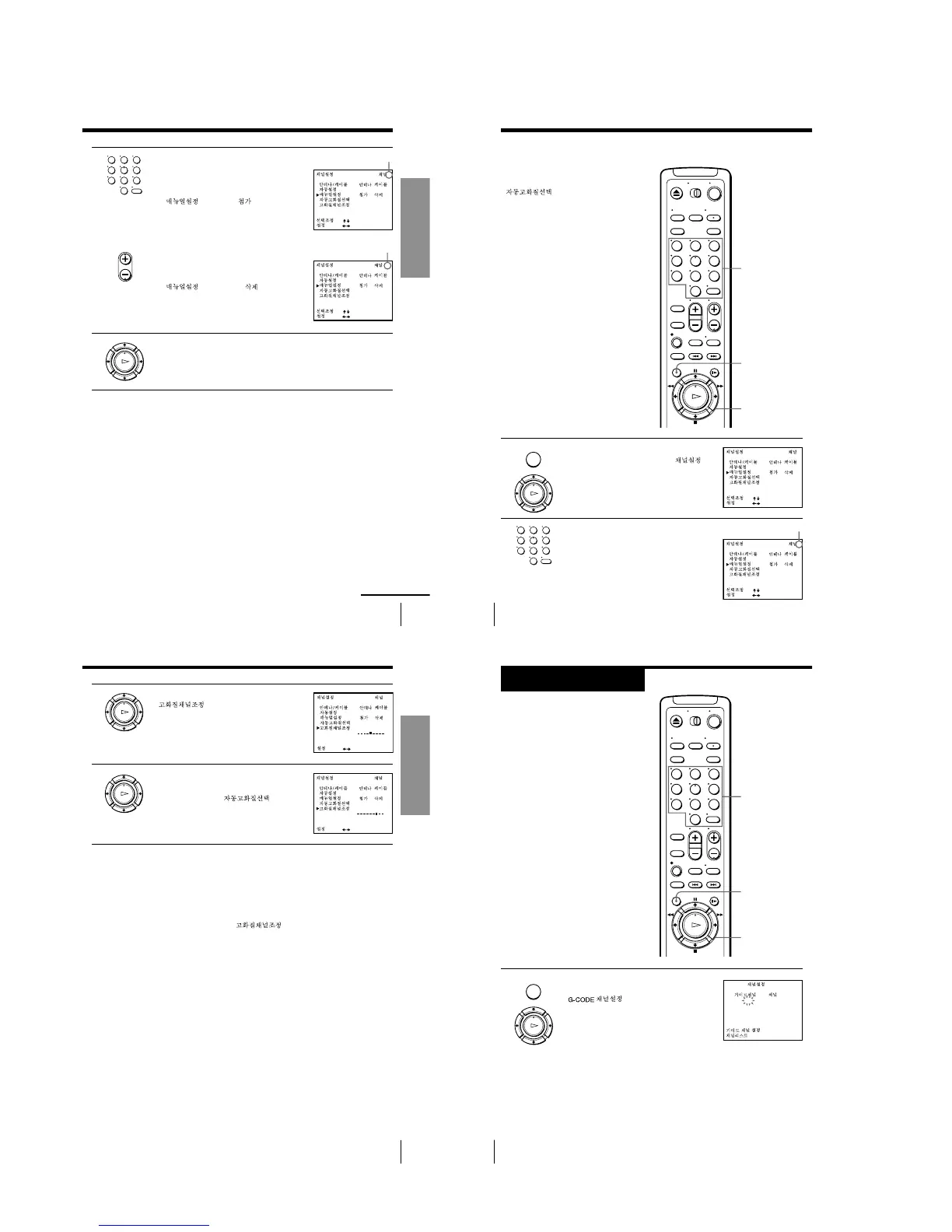
• To preset a channel:
1 Press the number buttons to enter the
channel number, then press ENTER.
2 Press </, to set MANUAL SET
(
) to ADD ( ).
• To disable a channel:
1 Press CH +/– to select the channel
number.
2 Press </, to set MANUAL SET
(
) to ERASE ( ).
3
Repeat step 2 to preset or disable channels as required, then press
OK.
Channel to be preset
Channel to be disabled
continued
• CH
123
456
789
0
OK
PLAY
5
ON
•
•
•
OFF
:
[
]
:
[]
21
ON
•
•
•
OFF
:
[
]
:
[]
Getting Started
18
If the picture is not clear
Normally, the Auto Fine Tuning (AFT)
(
) function automatically
tunes in channels clearly. If, however,
the picture of a channel is not clear, you
can also use the manual tuning function.
MENU
OK
M/m/</,
Number
buttons,
ENTER
1 Press MENU, then press M/m to move the
cursor (B) to TUNER PRESET (
),
then press OK.
2 Press the number buttons to select the
channel you want to fine-tune, then press
ENTER.
Step 5: Presetting channels (continued)
123
456
789
0
MENU
OK
PLAY
123
456
789
0
1
ON
•
•
•
OFF
:
[
]
:
[]
Selected channel
5
ON
•
•
•
OFF
:
[
]
:
[]
19
Getting Started
Getting Started
3
Press M/m to select FINE TUNING
(
).
The fine tuning meter appears.
4
Press </, to adjust to a clearer picture,
then press OK.
Note that the AFT (
) setting
switches to OFF.
Tip
• To select the channel in step 2 on page 18, you can also use the CH +/– buttons. In
this case, you do not need to press ENTER.
Notes
• The menu disappears automatically if you do not proceed for more than a few
minutes.
• When adjusting FINE TUNING ( ), the menu may become difficult to
read due to interference from the picture being received.
21
ON
•
•
•
OFF
:
[
]
21
ON
•
•
•
OFF
:
[
]
OK
PLAY
OK
PLAY
Getting Started
20
Step 6
Setting up the
G-CODE system
(SLV-ED919KR
only)
The G-CODE system is a feature in Sony
VCRs that simplifies programing the
VCR to make timer recording. To use the
G-CODE system, each TV channels
needs to be matched with its G-CODE
guide channel. To get the guide channel
numbers, look in the program guide for
your area that features G-CODE
numbers.
Before you start…
• Turn on the VCR and the TV.
• Set the TV to the video channel.
1 Press MENU, then press M/m to move the
cursor (B) to SET G-CODE CHANNELS
(
) and press OK.
MENU
OK
M/m/</,
Number
buttons,
ENTER
123
456
789
0
MENU
OK
PLAY
:
:
G-CODE
TV
––
[ 0 – 9 ]
[ OK ]
––
1-4


 To Next Page