Using the SNC toolbox
23
Using the Schedule Task
You can specify the time or interval to change the Device
setting or perform Firmware upgrade.
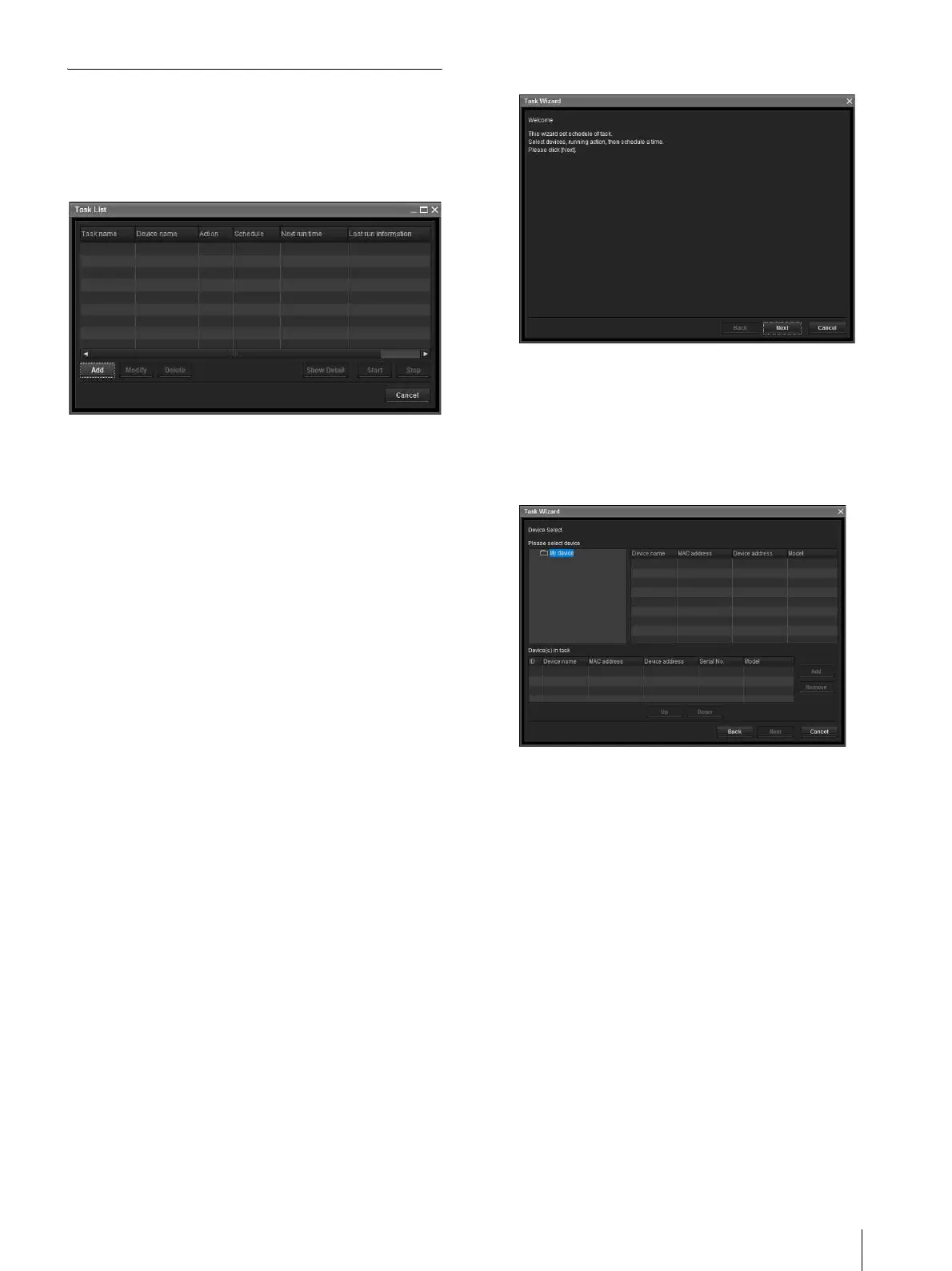
Click Ta sk to display the Task List, which shows a list
of scheduled executable tasks.
Task List
Displays the list of scheduled executable tasks.
Add
Displays the Task Wizard.
Modify
You can edit a task.
Delete
You can delete a task.
Show Detail
Displays the detailed information on a task.
Start
This reserves a task.
Stop
You can cancel a task reservation.
Cancel
Closes the Task List.
Creating a task
1
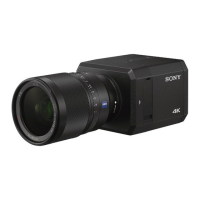
Click Add.
Displays Task Wizard.
2
Click Next.
3
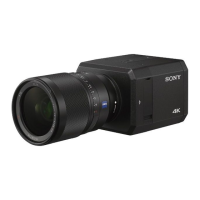
Select a device to which the task is assigned.
A list of devices registered in My device is
displayed. Select the device you want to assign the
task to from the My device list, and register in
Device(s) in task list.
My Device: Display a list of cameras registered in
My devices.
Device(s) in task: Display a list of devices set to
execute a task.
Add: Register a device in Device(s) in task.
Remove: Removes a device from Device(s) in task.
Up/Down: Changes the order of devices in
Device(s) in task.
4
Click Next.
5
Select the task action.



 To Next Page