Using the SNC toolbox
19
Test playing/Deleting the Uploaded Voice
alert file
Allows you to test play or delete an uploaded Voice alert
file.
Select a device from Device list, and click Tes t p lay.
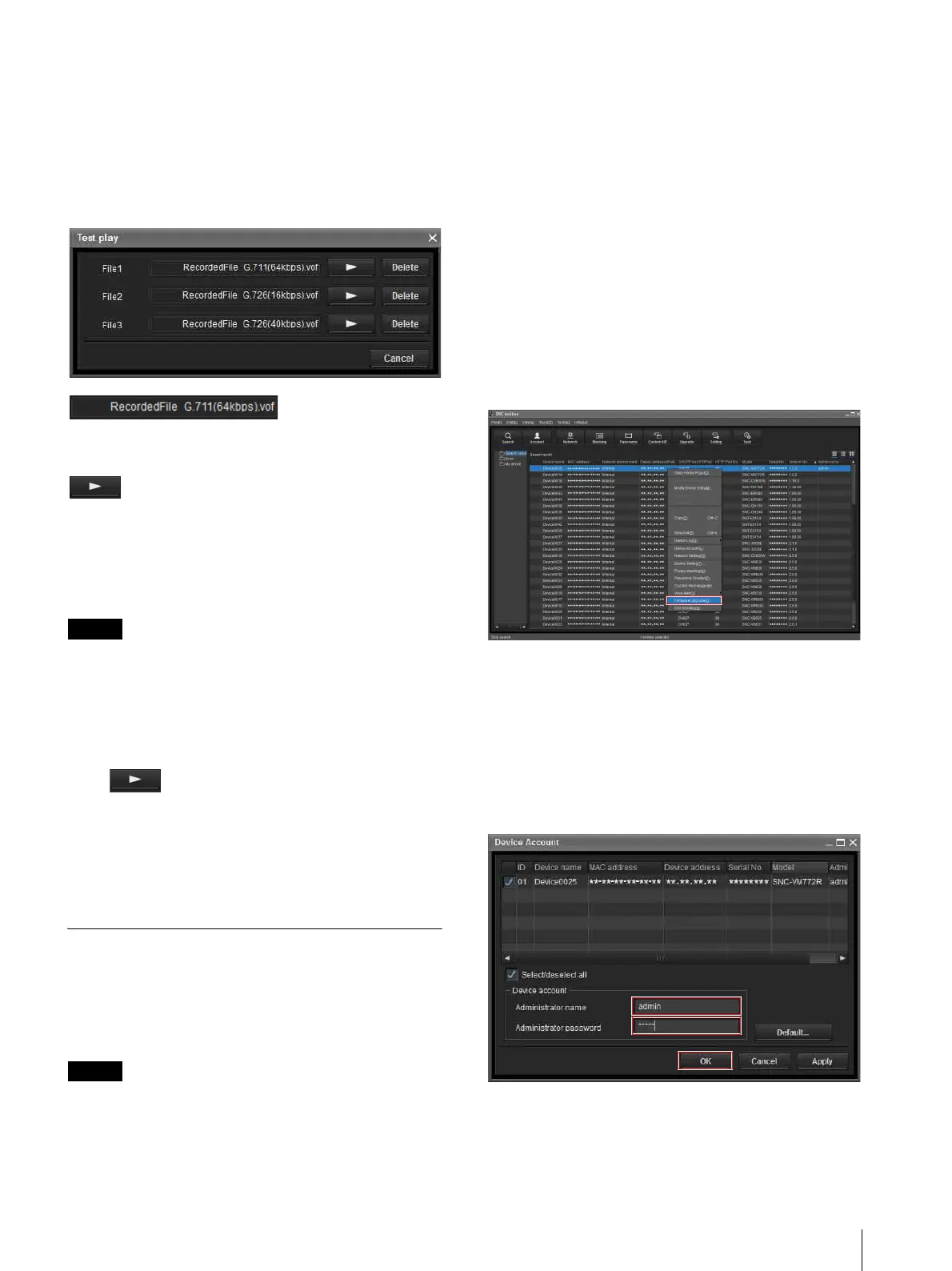
The Test play screen is displayed.
(uploaded Voice
alert file display)
Displays the name of the uploaded Voice alert file.
(Test play)
Starts the test play of the uploaded Voice alert file on the
device.
Delete
Deletes the uploaded Voice alert file.
Notes
• When multiple devices are selected from the Device
list, the Test play function cannot be used.
• To test play, check if the audio output of the device is
connected to the speaker.
Starting the Test play
Click to start the test play of the Voice alert file
uploaded in the device once.
Deleting the Voice alert file
To delete the Voice alert file uploaded in the device,
click Delete.
Using the Firmware Upgrade
The Firmware Upgrade function of the SNC toolbox
allows you to upgrade the firmware of the device.
This function can be performed for up to 16 devices at
the same time.
Notes
• Do not turn off the power until upgrading is
completed.
• You should be logged in as an administrator to
upgrade the firmware.
• We recommend that you change the IP address of the
device to a static IP address before you start
upgrading.
• If the device is set to DHCP, you may not be able to
check when upgrade is complete.
• Set the Edge Storage function or motion detection of
the device to off before you start upgrading.
Selecting a device
1
Select the device to upgrade its firmware from the
Device list.
You can select multiple devices at the same time.
2
After selecting the device to upgrade its firmware,
right-click the mouse and select Firmware
Upgrade from the dropdown list.
3
If the selected device has no device account
information, the Device Account screen is
displayed.
Enter the Administrator name and
Administrator password then click OK.
The factory default is admin for both
Administrator name and Administrator
password.



 To Next Page